8
REV 0.9.5
6. POWERING UP
After plugging in the unit, the following screen will display:
Then the IP address, Hotspot or infrastructure (INFS), will be displayed for 5
seconds as follows:
See section 8 and 9 for more details on this screen.
TURNING OFF - To turn the CyberQ Cloud Wi-Fi off, press and hold the M/E
key for 4 seconds.
TURNING ON - To turn CyberQ Cloud Wi-Fi on, press and hold the M/E key for
2 seconds.
Because of the internal EEPROM memory, if there is a power interruption at any
time while cooking with your CyberQ Cloud Wi-Fi, once power is restored the
unit will automatically restart and continue to control your grill/smoker at the
same settings you originally set. If you are operating in infrastructure mode on
your network, the network service should not be interrupted. If you are operat-
ing in hotspot mode, you may need to reset power to the CyberQ Cloud Wi-Fi,
then reconnect your PC or mobile device to the network.
7. MANUAL OPERATION
MAIN SCREEN
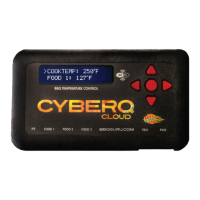
When the main screen is displayed, using the UP and DOWN keys will scroll the
display up and down through the list of options. Two lines are displayed, and
are scrolled through one line at a time. If scrolling is turned on, the main screen
items are indexed through automatically. An arrow appears on the display next
to the parameter that can be modified. The only main screen parameter that
cannot be changed in the example below is ‘OUTPUT: 15 % *’ since this is just
reporting the fan’s output percentage.
To change a value, scroll to the value you wish to
modify using the UP/DOWN keys. The line will be
denoted with an arrow. Select the value using the
M/E key. Navigate to the value you wish to modify
using the LEFT/RIGHT keys. Modify the value
using the UP/DOWN keys, then press the M/E key
to save. The labels COOKTEMP, FOOD1, FOOD2,
FOOD3 may be changed via the web interface,
but will always remain the same on the controller.
CyberQ Cloud
WiFi CONTROL 2.0
HOTSPOT PAIRING
192.168.101.10
COOKTEMP : 275°F
FOOD 1 : 122°F
FOOD 2 : 165°F
FOOD 3 : 141°F
OUTPUT : 15% *
TIMER 00-00-00
>


 To Next Page