9
REV 0.9.5
If a food or cook sensor is unplugged or damaged (open), it will show OPEN
next to the corresponding item.
COOK TEMP
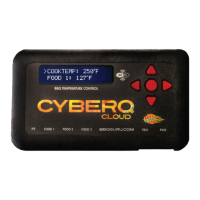
Scroll to COOKTEMP (pit temp) in the MAIN SCREEN using the UP/DOWN keys
(arrow will display) to modify its value. Press the M/E key to modify the cook
setpoint as follows:
Use the LEFT and RIGHT keys to select the digit to be modified. Adjust the val-
ues using the UP and DOWN Keys. Then press the M/E key to enter and store
the value and return to the main screen.
The adjustment range of the COOK SET is 32–475° F or 0-246° C. The default
value for the COOK SET is 275° F.
FOOD TEMP
Scroll to FOOD X (1, 2 or 3) in the MAIN SCREEN using the UP/DOWN keys (arrow
will display) to modify its value. Press the M/E key to modify the setpoint of all 3
food probes individually as follows:
Use the LEFT and RIGHT keys to select the digit to be modified. Adjust the
values using the UP and DOWN Keys. Press the M/E key to enter and store the
value and return to the main screen.
The adjustment range is 32–475° F or 0-246° C. The default value is 180° F.
When the food temperature exceeds the setpoint, the FOOD DONE message
blinks with the temperature and the beeper sounds. Please note that if you set
the setpoint below the food’s actual temperature, the DONE alarm will sound
(press any key to clear alarm).
OUTPUT %
The output percent is not changeable by the user but is simply a display of the
output percentage of the control. The ‘*’ character is shown next to the output
% value when the output is energized.
TIP: During your cook if you notice the output percentage hovering
around 80-100% for a long time, you may be running out of charcoal. If you
notice the output % hanging around 10% for a long time and the temperature
is oscillating you may want to close the blower damper adjustment slightly for
better control.
COOK SET
270°F
FOOD X SET
121°F


 To Next Page