28
REV 0.9.5
7. Prop Band: This is an advanced setting and we recommend leaving
at the default and only changing if BBQ Guru customer service rec-
ommend making a change.
WIFI Setup: you can change several of your WIFI settings from ShareMyCook.
It’s important to note that if you change settings on this page, it will require
a reboot and your device may lose connection with ShareMyCook after it
reboots. Your device has two types of WIFI modes: Hotspot and Infrastructure.
Hotspot setting are the settings that you use to access and use your CyberQ as
a WIFI access point for direct control. Infrastructure settings are those settings
that your CyberQ Cloud uses to get on to your home WIFI to get it onto the
internet. We generally do not recommend changing these settings directly
unless instructed to by BBQ Guru customer service. Please refer to the WIFI
section of the manual for more details.
11. VOICE CONTROL USING AMAZON ALEXA
INITIAL SETUP
You can monitor and update settings on your CyberQ Cloud with just the sound
of your voice when you use an Amazon Alexa-enabled device (sold separately).
Before you can use your voice to access your CyberQ Cloud, you need to con-
figure a few settings. You also must already have your CyberQ Cloud registered
in an account on ShareMyCook. (Refer to the ShareMyCook registration in your
manual for directions)
1. Make sure that your Amazon Alexa device is already registered and setup
with Amazon. (A good test is to ask her “Alexa, what time is it?” If she an-
swers correctly, your Amazon Alexa device has internet connection).
2. You will need to add the CyberQ Cloud skill to your Amazon Alexa account.
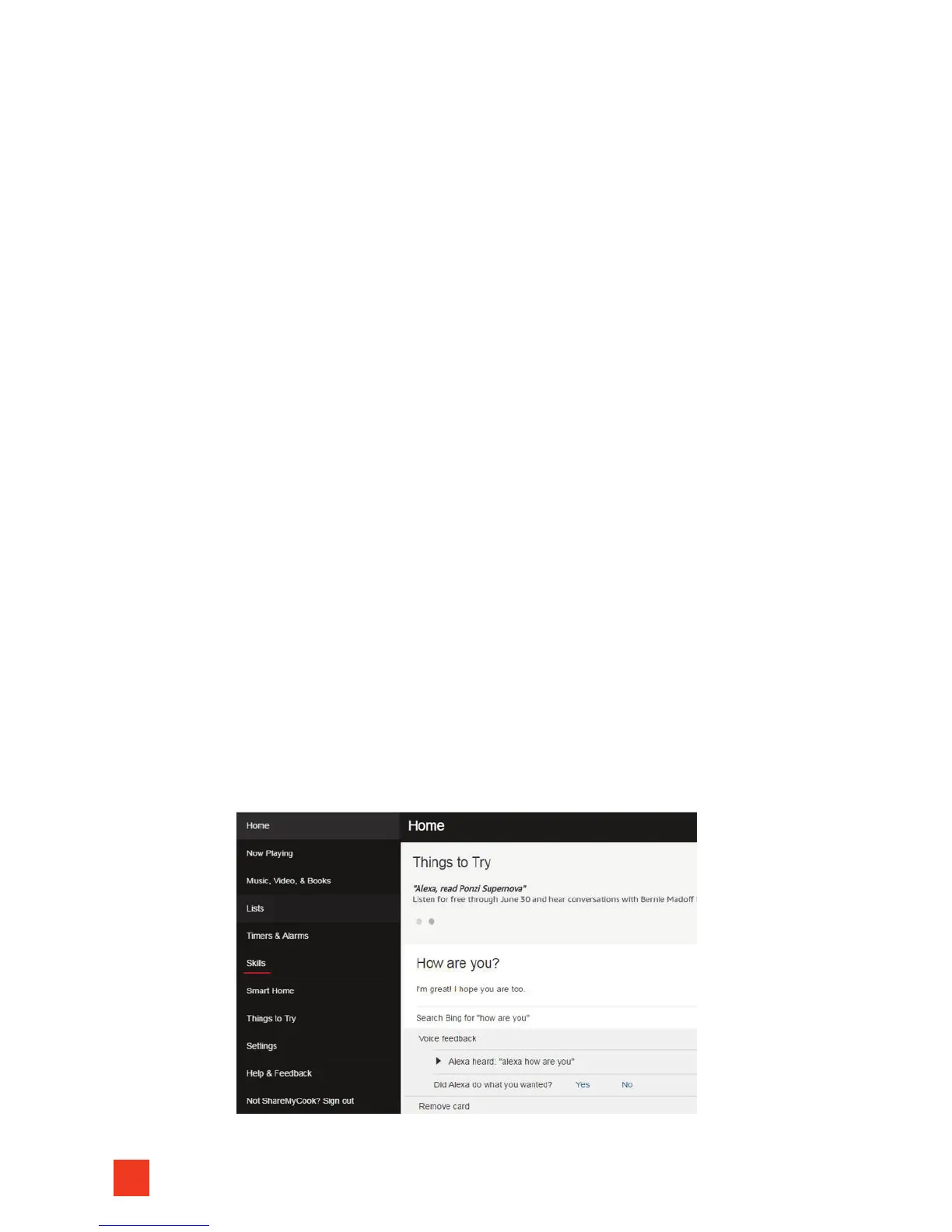
3. Open your Alexa app (or the desktop version at alexa.amazon.com),
click the ‘Skills’ tab:
4. Search for the CyberQ Cloud skill by typing in CyberQ Cloud:


 To Next Page