EN | UltraQ | Operating instructions EN | UltraQ | Operating instructions
STEP 1
Connect with Bluetooth
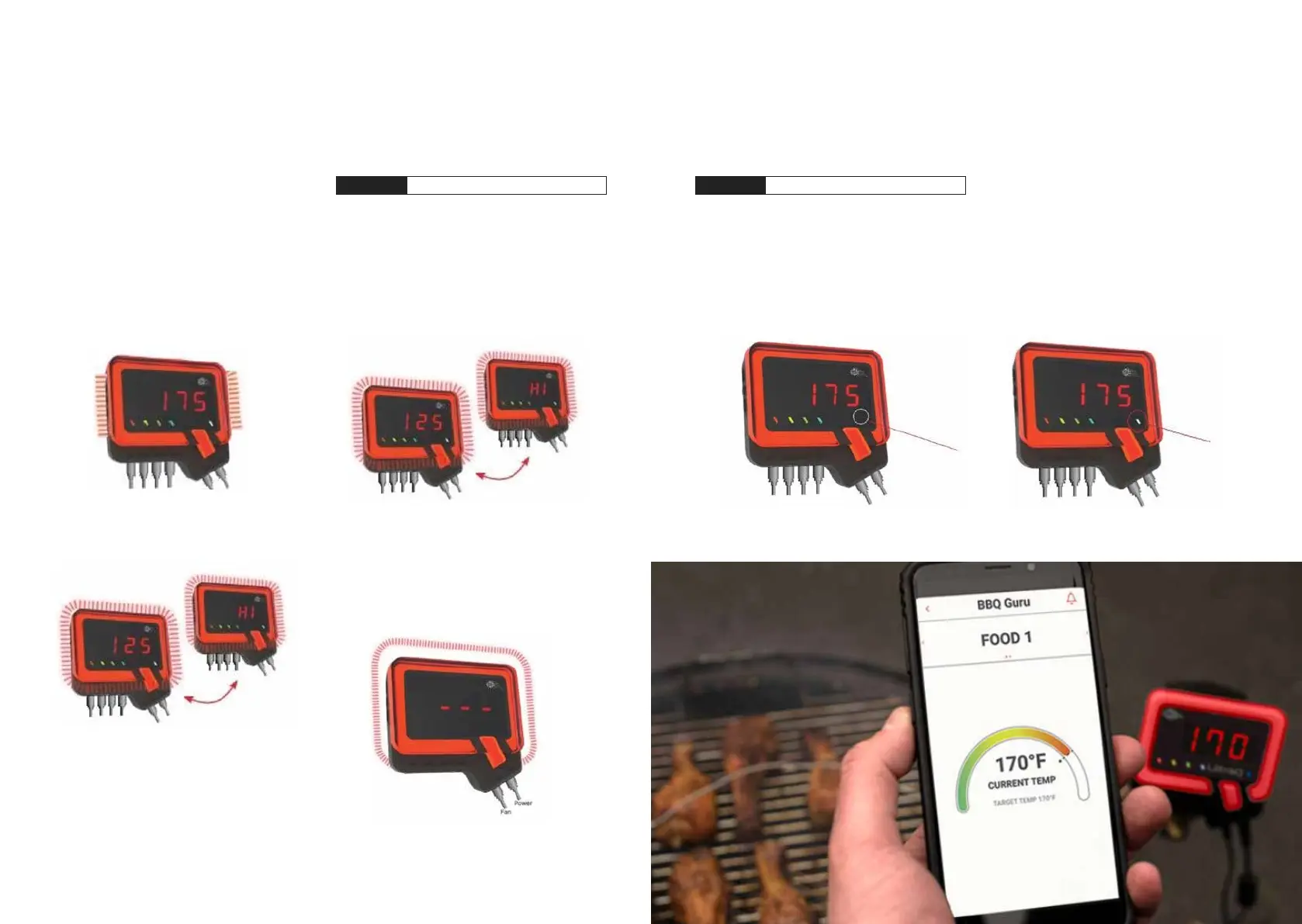
1. When the cooking chamber temperature is above
the target range or when it has reached its
specied set point, an alarm sounds.
NOTE: When an alarm sounds press any key to clear
that alarm off. To turn off audible alarms please
read section 09. Using the Mobile App
2. If the UltraQis connected to the power supply but
no cooking chamber probe is connected the dis-
play shows “---“ and the outer ring ashes quickly.
The audible alarm doesn’t sound. This is a safety
feature so the fan won’t run unless a cooking
chamber probe is plugged in.
08 CONNECT WITH BLUETOOTH
1. When the UltraQ is not connected to another
device, the blue connection LED indicator ashes
slowly. Check the settings on your Bluetooth ena-
bled device to ensure that Bluetooth is enabled.
2. When your device is successfully paired with the
UltraQ, the Bluetooth LED indicator light will be
solid blue. If an error occurs during pairing, a noti-
cation is displayed in the app and a prompt
to try again appears.
3. If scan mode is entered while the cooking chamber
temperature is rising, or if the display is switched to
other readings by pressing the SELECT button, the
outer ring will remain solid blue, but the reading of
the Q will change according to the respective probe.
When the cooking chamber temperature is within
the target range, the outer ring remains solid red.
The standard deviation of the target range is approx.
1-2°C (25 degrees F).
4. When the cooking chamber temperature is within
the set point range and the fan is on, the top and
the LEDs of the outer ring remain constantly red
while the left and right sides pulse red.
5. When the cooking chamber temperature is above
the target range, the display shows „HI“. The outer
light ring pulses continuously red and the buzzer
sounds to visually indicate a warning.
NOTE: To change the target area, see section 09 Using
the mobile app, step 4. „Alarm“.
STEP 5
Alarm and warning


 To Next Page