Chapter 2: Routine Maintenance
2-2 Advisor
®
Service Manual
Non-invasive Blood Pressure Calibaration Verication
Verify the calibration of the NIBP parameter annually, or if doubt exists about the accuracy of the digital
manometer’s readings or the measured values.
You will need:
Advisor•
®
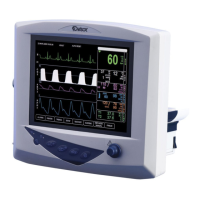
Vital Signs Monitor
Standard mercury manometer (Baum 661-300 or equivalent)•
Adult-sized non-invasive blood pressure cu•
To verify that the NIBP parameter is calibrated:
Remove the NIBP cu from the patient.1.
WARNING! Do not verify the non-invasive blood pressure calibration while the cu is attached to a
patient.
NOTE! There are no user-serviceable adjustments for the NIBP calibration. If the monitor appears to be
out of calibration, contact your authorized repair center for help.
Make sure the patient type is set to ADULT.2.
Secure the NIBP cu to a rigid xture, about the size of an adult arm.3.
“Tee-in” the standard mercury manometer with the NIBP cu.4.
Turn the rotary knob on the monitor to move the cursor. On the main menu at the bottom of the display, 5.
highlight SETUP and push the knob to select.
Highlight SERVICE MENU and push the knob to access the service menu.6.
The service menu is password protected. To enter your password:•
Turn the rotary knob to access the password box and push the knob to select the rst character eld.a.
Turn the rotary knob to highlight the desired character and push the knob to select. The factory-b.
installed password is ADVISOR.
Push the knob to select the next character eld.c.
Turn the rotary knob to highlight the desired character and push the knob to select. Repeat steps b d.
and c until each character in the password is selected.
Highlight ENTER and push the knob to select.e.
If you correctly selected the password, the service menu will appear on the lower left corner of the •
display.
If you did not select the correct password, ***Invalid Password; please re-enter*** will be displayed in the •
message line. Try to access the service menu again.
On the service menu, highlight VERIFY NIBP CALIBRATION and push the knob to select.7.
Highlight YES and push the knob to select.8.
The monitor will automatically inate the cu to a pressure of about 180 mmHg, then stabilize. The •
pressure will be maintained so the readings can be compared.
The digital manometer reading and the mercury manometer reading should agree to within ±3 mmHg or •
2%, whichever is greater. The pressure may decrease over time due to air leakage, but should not exceed
the limit of 6 mmHg/minute.
When calibration verication is complete, press the NIBP key (9.
h
) on the monitor.


 To Next Page