■ Hardware Setup
2-8
▶ HDMI Port
The High-Defi nition Multimedia Interface (HDMI) is an all-digital audio/video
interface capable of transmitting uncompressed streams. HDMI supports
all TV format, including standard, enhanced, or high-defi nition video, plus
multi-channel digital audio on a single cable.
▶ USB 2.0 Port
The USB 2.0 port is for attaching USB devices such as keyboard, mouse, or
other USB compatible devices. It supports data transfer rate up to 480Mbit/s
(Hi-Speed).
▶ LAN
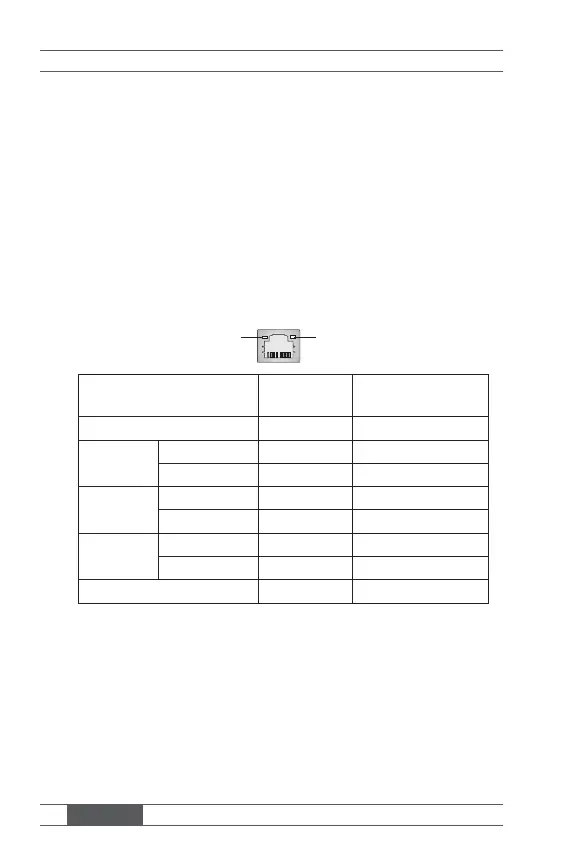
The standard RJ-45 LAN jack is for connection to the Local Area Network
(LAN). You can connect a network cable to it.
Speed IndicatorActivity Indicator
Left LED
(Active LED)
Right LED
(100M/1000M Speed LED)
LED Color Yellow Green/Orange
10M Cable
Plug-in
No Transmission Yellow (Lighting) OFF
Transmission Yellow (Blinking) OFF
100M Cable
Plug-in
No Transmission Yellow (Lighting) Green (Lighting)
Transmission Yellow (Blinking) Green (Lighting)
1000M Cable
Plug-in
No Transmission Yellow (Lighting) Orange (Lighting)
Transmission Yellow (Blinking) Orange (Lighting)
In S3/S4/S5 Standby State Yellow (Lighting) OFF
▶ Audio Jack
■ Line-In (Blue) - for external CD player or other audio devices
■ Line-Out (Green) - for speakers or headphones
■ Mic (Pink) - for microphones



 To Next Page