MX945GME
Mainboard
CPU & Cooler Set Installation
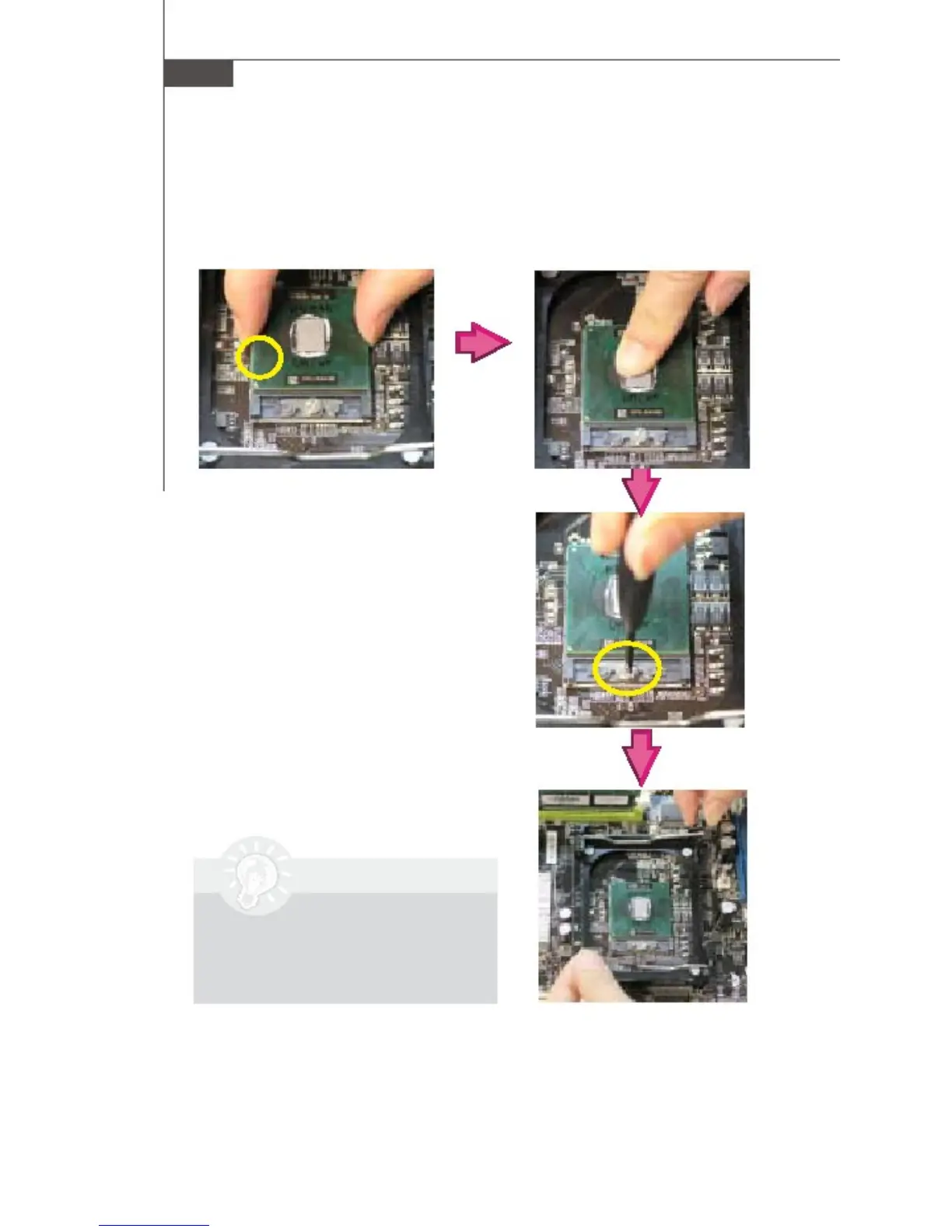
1 . Place the CPU on top of the socket. Make sure to
align the gold arrow on the CPU with the arrow key
on the socket.
2 . Push the CPU
the socket.
down until its pins securely fit into
3 . On the front end of the
CPU socket is a locking
mechanism designed into
the form of a screw. Make
sure that you actuate or
deactuate this mechanism
with a screwdriver before
and after installing the
CPU.
4. Release the metal clips on the retention
mechanism.
Important
Mainboard photos shown in
this section are for dem-
onstration only and may
differ from the actual
look of your mainboard.
2-4



 To Next Page