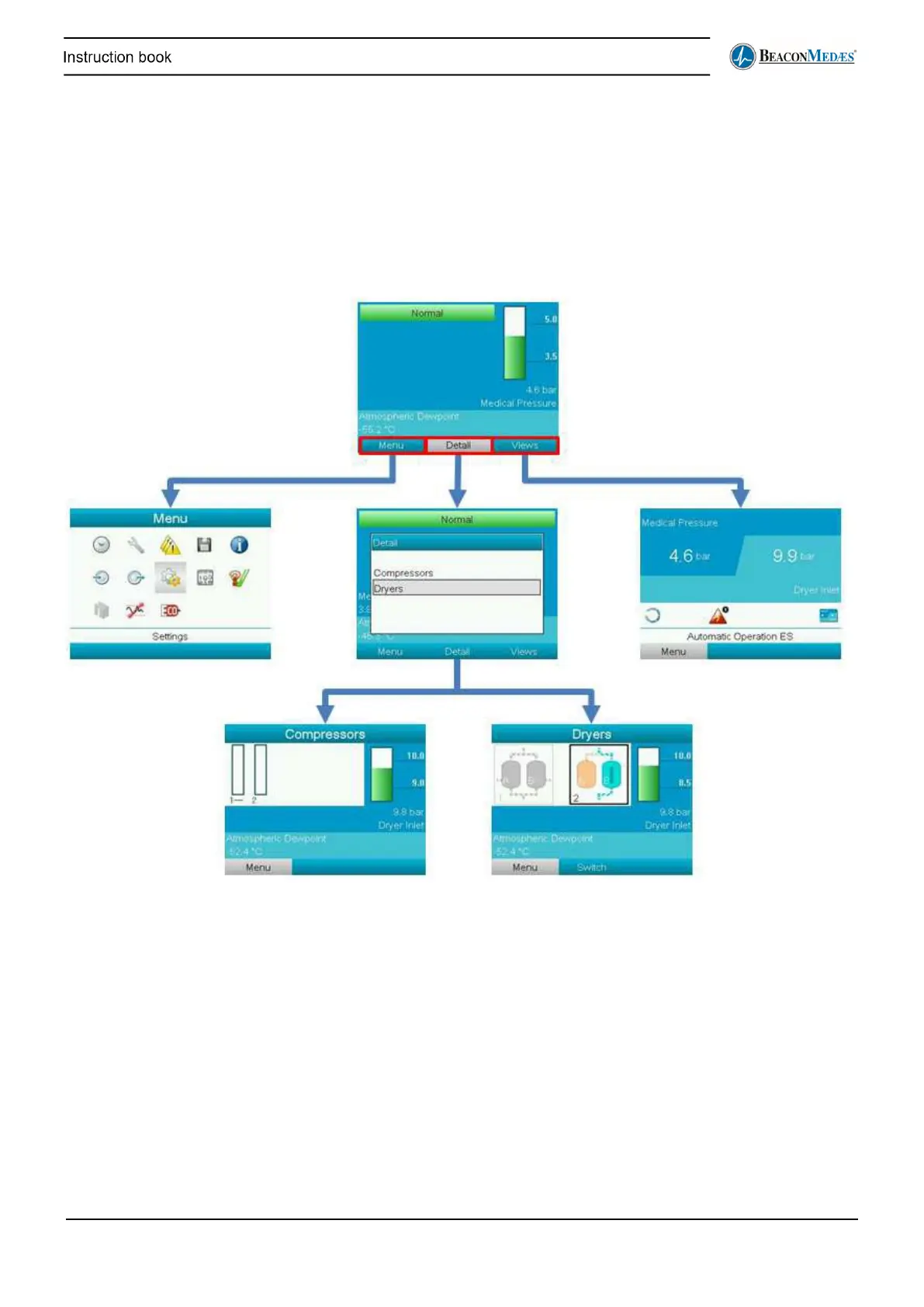
Menu structure
Downward navigation through the menus is done by pressing the Enter button. Upward
navigation through the menu is done by pressing the Escape button on the controller. Specific
submenus and commands will be explained in the following chapters.
• Starting screen (top): shows the status of the machine, the outlet pressure (medical pressure)
and the atmospheric dew point at the outlet of the air plant.
• Main menu (middle left): gives access to the different submenus (see section Central controller
operation).
• Details selection screen (middle): after selecting detail the user can choose to see details about
the compressors or about the dryers.
• Compressors details screen (bottom left): shows details about the compressors
• Dryers details screen (bottom right): shows details about the dryers
• Views screen: this screen gives the user an overview of the operation of the air plant. The user
can choose how this is displayed on the screen (see further).


 To Next Page