3 Purifier main controller
3.1 Interface, icons and menu structure
Interface
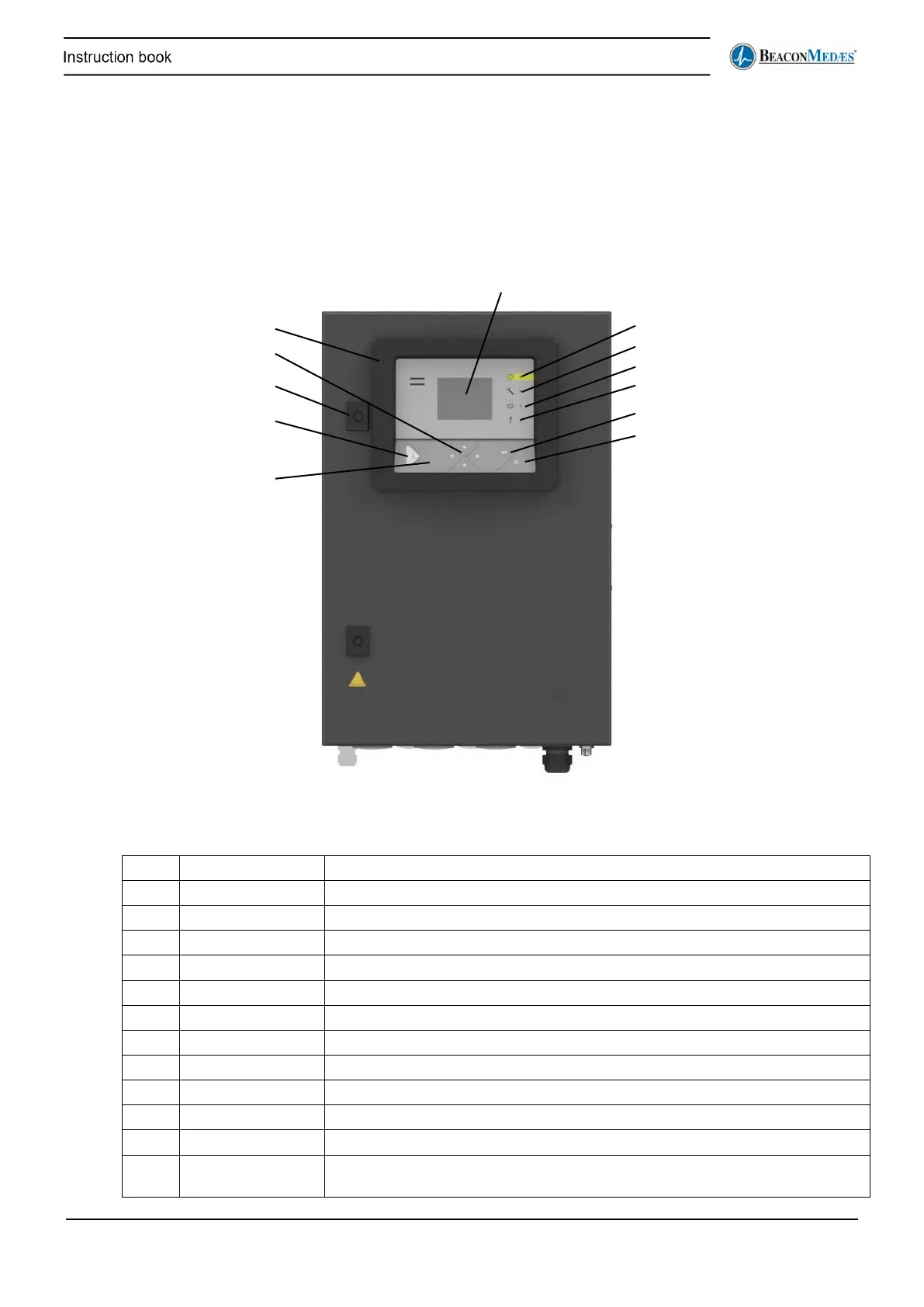
Control panel
An Elektronikon® controller with a graphical display acts as interface to control the dryer.
1 Display Shows icons and operating conditions.
2 Warning LED Is lit when warning is triggered.
3 Service LED Is lit when a service is needed.
4 Operation LED Is lit when the purifier is operational
5 Voltage LED Indicates that the voltage is on.
6 Enter button Confirm action.
7 Escape button Go to previous screen or end current action.
8 Stop button Stop the controller
9 Start button Start the controller
10 Cubicle lock Can be opened with a key to open the cubicle.
11 Scroll buttons Use these buttons to scroll through the menu.
12 Elektronikon®
Controls the dryer


 To Next Page