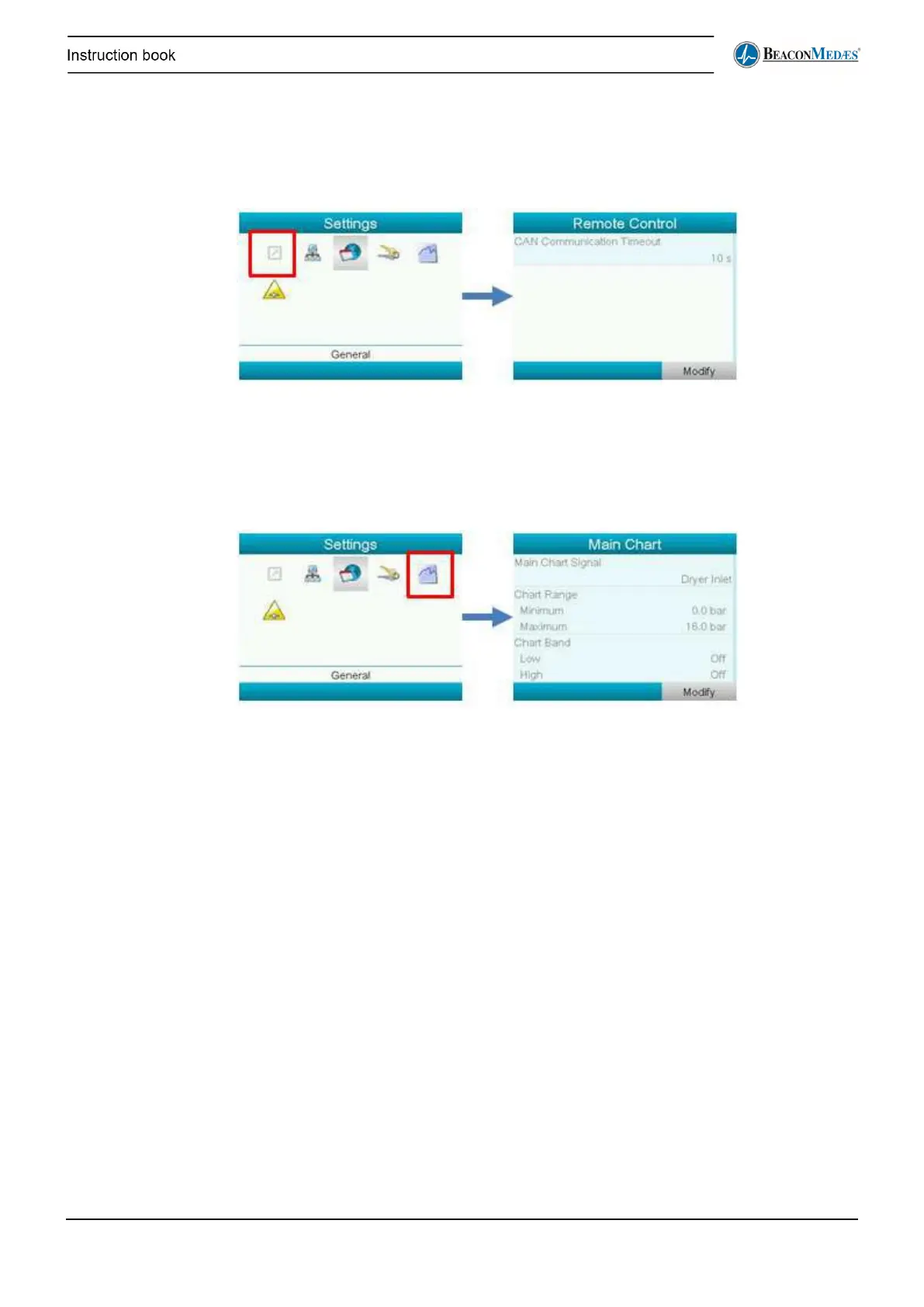
Remote control
In the Settings – Remote Control submenu (full access needed, see above), the user can adapt
the Can communication timeout. Normally this setting does not need to be changed. Please
contact your local customer centre.
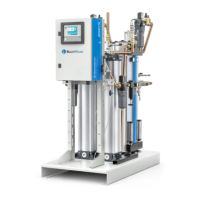
Main Chart
To change the settings of the main chart (available as an optional background for the Views
screen, see above), go to the following menu:
Alarm Settings
To change the set points of the medical air and/or surgical air and their alarm settings, the user
can go the Alarm Settings screen (see picture below). Here the user can also choose whether
one or both of the outlet measurements is used. If for instance only surgical air is needed, the
medical air (and it’s alarm) can be deactivated here.
The following settings are available:
• Setpoint Medical air
• Disable Plant Fault output: Yes - No
• Backup unit in operation: Activated – Deactivated


 To Next Page