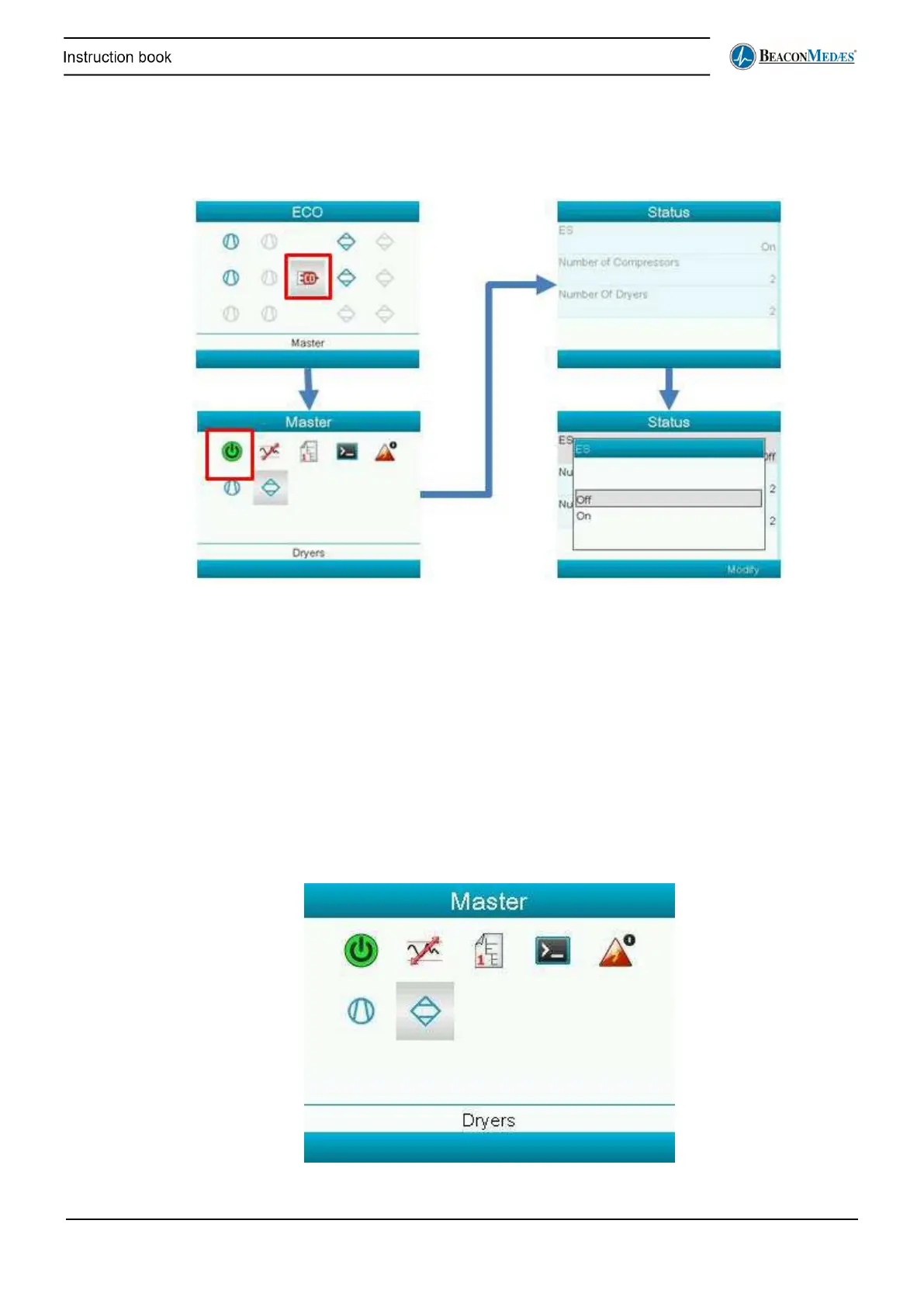
Starting and stopping the ECO
To start and stop the ECO select the following icon:
Make sure all the settings are correct before starting the ECO. It is only possible to change the
settings when the ECO is turned off. Also make sure to already set up the CAN address, and
CAN is enabled (see further on how to do this).
When the ECO is in running state, Local mode has to be turned on first to be able to stop the
ECO. Local mode can be switched on and off in ECO Master - Commands submenu (see below).
Then navigate to the Details Dryers or Details Compressors screen via the main screen and
select their commands and ECO Local. Then can be navigated to the ECO Master menu and can
the ECO be switched of via the Status icon.
ECO Master Menu
In the following section the remaining icons in the ECO Master menu will be discussed.


 To Next Page