35
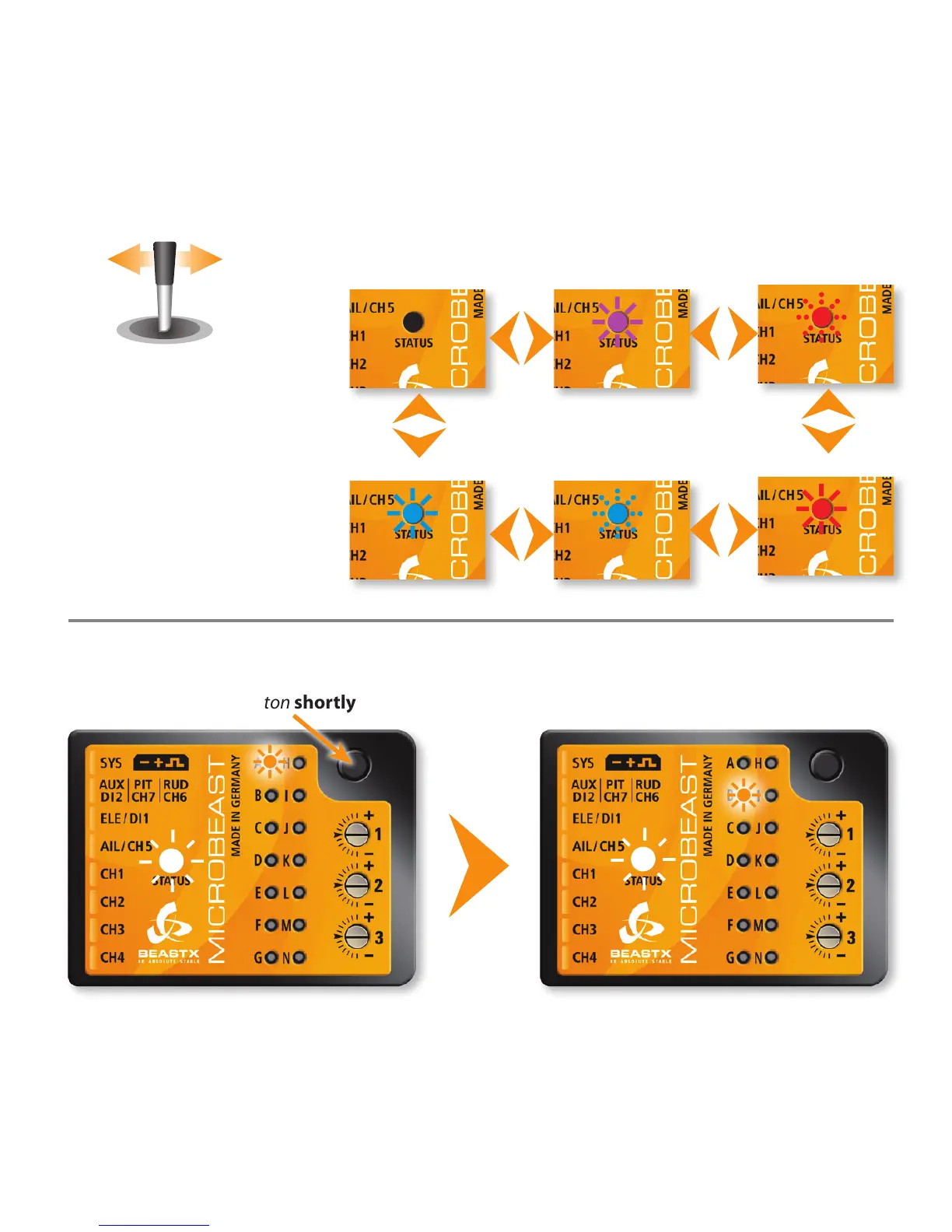
6.3 Example: Selection within the menus
6.4 Switching to the next menu point
Push button shortly
Menu point A Menu point B
By moving the tail stick to the
left or right, you can select the
dierent options within a menu
point.
The number of possibilities
depends on the menu point.
o
Status-LED:
ashing blue
red
purple
ashing red
blue
Fig. 18
Fig. 19


 To Next Page