37
A Mounting orientation of the MICROBEAST
The MICROBEAST unit can be mounted in nearly all possible orientations. The only restriction is that
the plug connectors have to point in or against ying direction (see chapter 3).
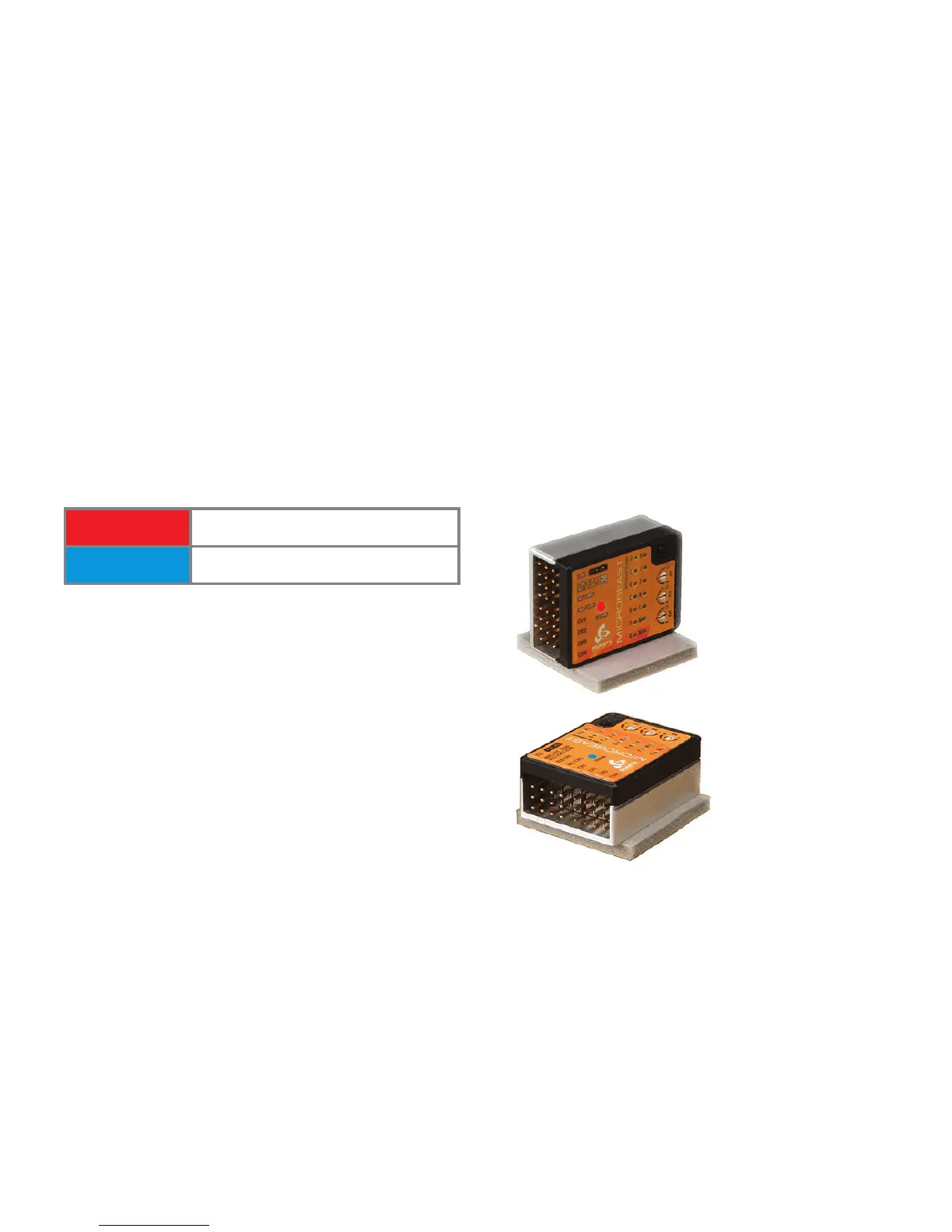
At setup menu point A, you have to choose whether the MICROBEAST is mounted horizontally (prin-
ted surface 90 degrees to the main shaft) or vertically (printed surface in parallel with the main shaft).
The color of the Status-LED shows the currently selected orientation:
Status-LED Mounting orientation
red vertical (on the side)
blue horizontal (flat)*
*
Factory Setting
As already described (Fig. 18) you can switch between the two options by moving the rudder stick to
one or other direction. For checking purposes the Status-LED will change color.
Push the button to save the conguration and to proceed to setup menu point B.
Fig. 20
Status-LED: blue
Status-LED: red


 To Next Page