AR6201 - RT6201 - RCU6201 - AR6203
Page 2-24 DV 14307.03 Issue 1 09/2013
Display Contents Description
Options 4 to 7
applied to pins P1-4 / pin P1-
headphone / speaker.
Note: If the auxiliary audio input is not used
it is recommended to deselect “AUX
INPUT”.
AUX AUTO MUTE
– if selected the auxilia
input will be muted
. The auxiliary audio input is
also muted if
the receiver detects (based on
squelch evaluation) a signal.
When deselected
the auxiliary audio input signal
and the receiver signal will intermix continuously.
Note: “AUX AUTO MUTE” is only displayed when
“AUX INPUT” is enabled.
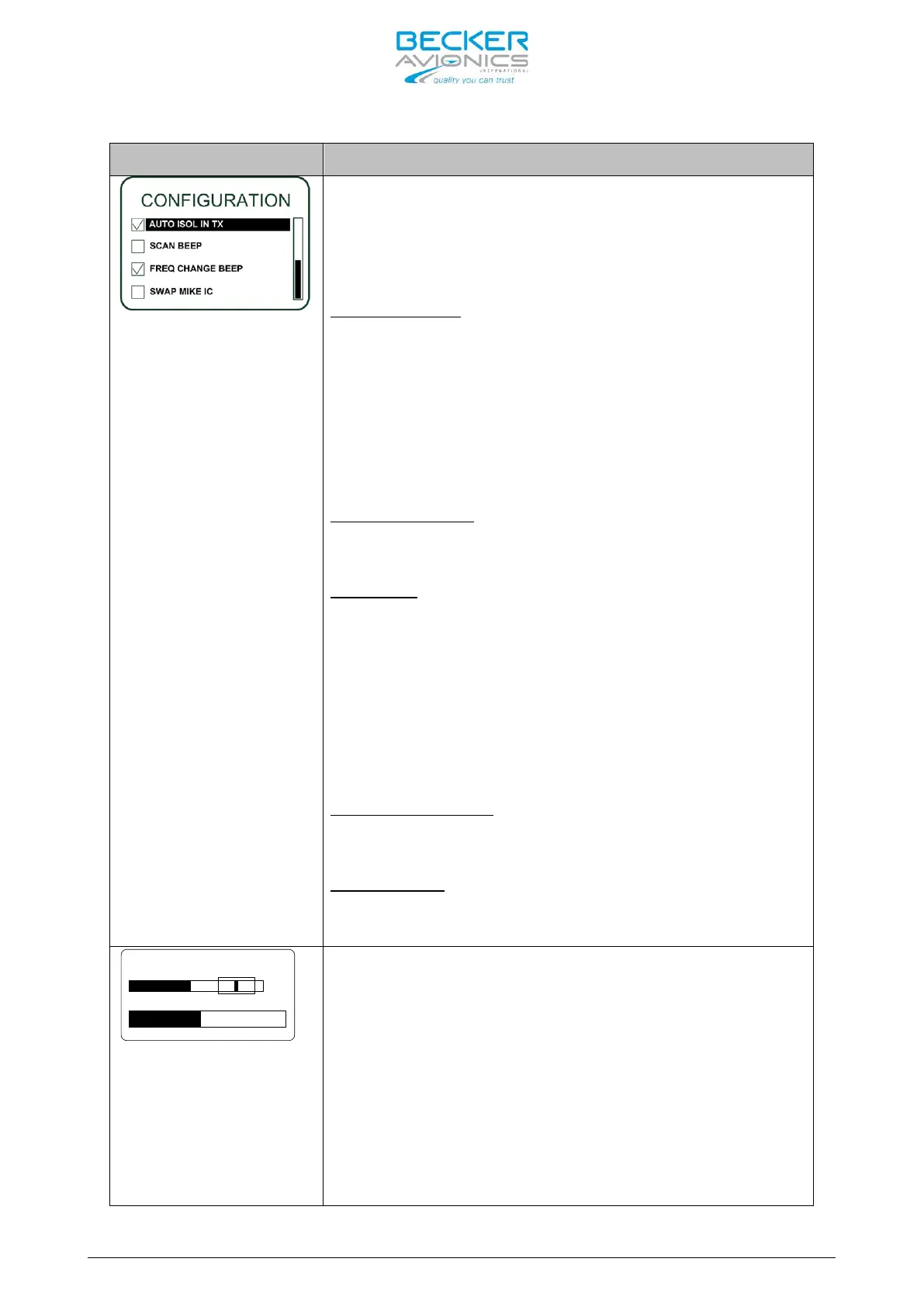
AUTO ISOL IN TX
– if
selected a separation between
the pilots and passenger intercom circuits is
provided while one of the pilots transmits.
- if selected the
(only in scan f
unction) a short beep tone to notify
a signal presence on the “PRESET FREQUENCY”.
During signal reception on the “ACTIVE FREQUENCY”
switch over to the “PRESET FREQUENCY” is not
possible
. The audio remains on “ACTIVE FREQUENCY”
and a short beep tone is audible
“PRESET FREQUENCY” will appear contrast
a sequence of approximately one second.
- if
generates a short beep
“ACTIVE FREQUENCY”.
- if selected the /IC input functions
as /MIKE_SW input and /MIKE_S
/IC input.
AUX IN SENS
VU
20 dB 800 mV
On “AUX IN SENS” page the
of the auxiliary audio input (Pin P1-4 / Pin P1-
21), in the range 50mV to 8000mV, can be s
turning the “ROTARY ENCODER”.
This page is displayed only if ENABLE_AUX_IN is
activated.
The VU meter shows the current signal level of the
aux audio input and always displays the
detected signal value from the last 3 seconds.
Note: Menu available on primary controller



 To Next Page