Page 6
www.becs.com 9487 Dielman Rock Island Ind Dr, St. Louis, MO 63132
Operation and Maintenance Manual
Rev:
K12
Section B: Normal Operation
B – 1: Set points
B – 1.1: Displaying the Set points
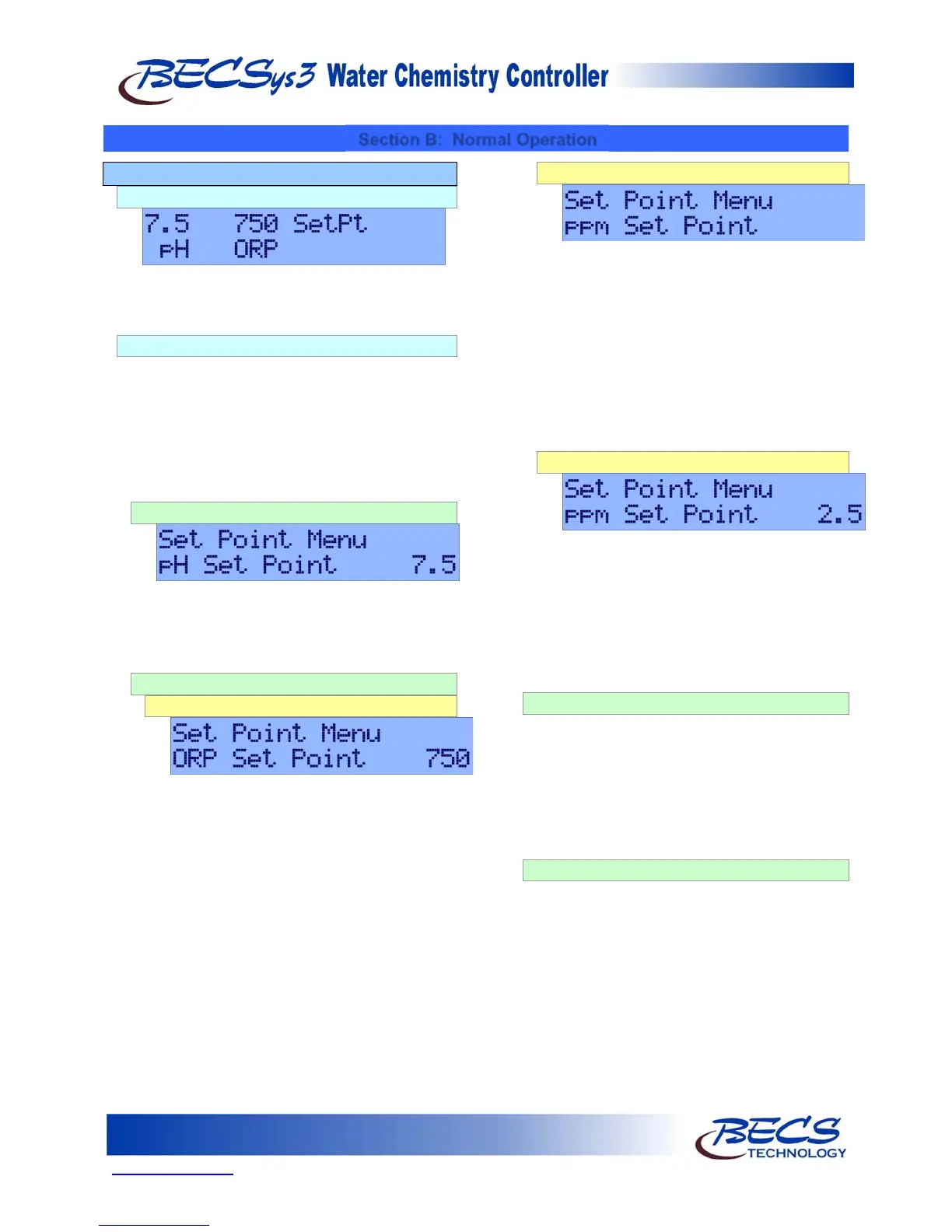
To display the set points, press the Set Points key
briefly. The set points will be displayed for three
seconds.
B – 1.2: Modifying the Set points
To modify the set points press the Set Points key
for three seconds. If the access codes have been
set, the unit will prompt you for your access code,
otherwise the display will change to pH Set Point
followed by the current pH set point. For help
entering your access code, see
A - 1.1: Entering
the Program Menu
.
B – 1.2.1: pH Set Point
To change the pH Set Point, press the Enter key
to enter the menu. Use the Arrow keys to input
the desired value and then press the Enter key
to save the value.
B – 1.2.2: Chlorine Set Point
B – 1.2.2.1: ORP Control
This option is shown if your controller is configured to
use ORP as the Set point. The screen will display
ORP Set Point followed by the current ORP
set point. To change this setting, press the
Enter key to enter the menu. Use the Arrow
keys to input the new value and then press the
Enter key to save the value.
B – 1.2.2.2: ppm Control (Calculated)
This option is only shown if the controller is configured
for calculated ppm. The screen will display ppm
Set Point and the current ppm set point on
the LED bar graph will be flashing (the high
and low alarms will be displayed by red
LEDs).
To change the calculated ppm set point, press
the Enter key. Use the Arrow keys to adjust
the value shown on the LED bar graph and
press the Enter key to save the new value.
B – 1.2.2.3: ppm Control (Probe)
This option is only shown if the controller is configured
for a ppm Probe. The screen will display ppm
Set Point and the current ppm set point.
To change the ppm set point, press the Enter
key. Use the Arrow keys to adjust the value
shown and press the Enter key to save the
new value.
B – 1.2.3: Booster Trigger Point
This option is only shown if your controller is configured
for Cl/Br Booster feed. If relay 3 is configured for
Cl/Br Booster control, the screen will display
the current trigger point. To change this setting,
press the Enter key. Use the Arrow keys to
input the new value, and then press the Enter
key to save the value.
B – 1.2.4: Booster End Point
This option is only shown if your controller is configured
for Cl/Br Booster feed. If relay 3 is configured for
Cl/Br Booster control, the screen will display
the current booster end point. To change this
setting, press the Enter key. Use the Arrow keys
to input the new value, and then press the Enter
key to save the value.



 To Next Page