Page 12
www.becs.com 9487 Dielman Rock Island Ind Dr, St. Louis, MO 63132
Operation and Maintenance Manual
Rev:
K12
Section D: Troubleshooting
D – 1: BECSys3
D – 1.1: Probe Error
Probe error indicates the value attempting to be
calibrated is out of range. Contact your distributor
for assistance.
D – 2: BECSysRCM3
D – 2.1: Problems Using A Flash Drive
If you have problems using a Flash Drive with the
BECSysRCM3, make sure it is formatted either in
the FAT or FAT 32 File System. To determine what
File System the Flash Drive is formatted in, insert the
Flash Drive in a PC. Once Windows has detected
and assigned a drive letter to the Flash Drive, open
Windows Explorer and find the drive letter assigned
to the Flash Drive. Right click on the drive letter
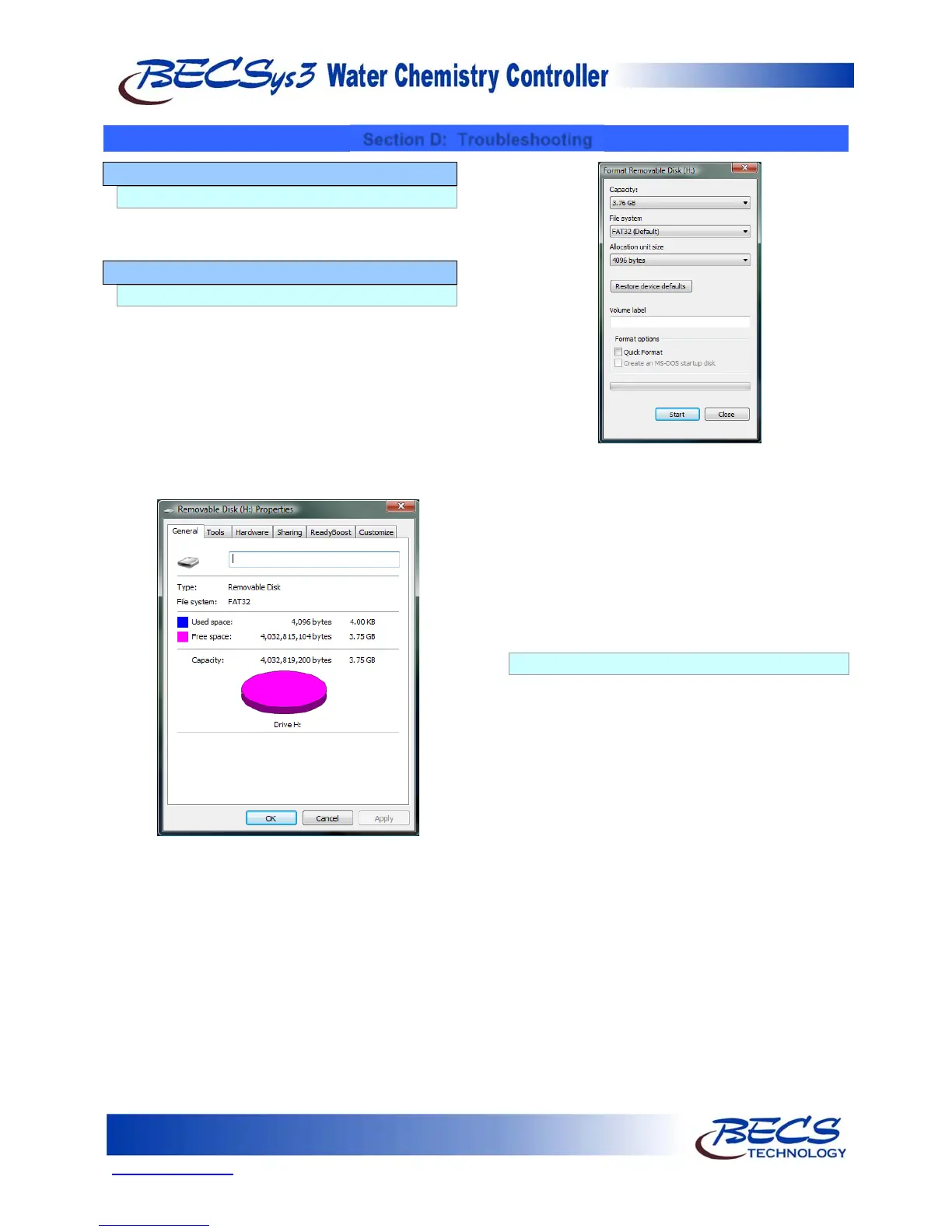
and select properties. A window will appear similar
to the one below.
Next to File system should be listed either FAT or
FAT32. If the Flash Drive is formatted using a
different File System, it must be re-formatted before
being used on the BECSysRCM3.
To format a Flash Drive, right click on the Flash
Drive in Windows Explorer and select Format. A
window similar to the one shown below should
appear:
Change the File System by clicking on the down
arrow on the right hand side of the drop down menu
for File System. Select either FAT or FAT32. Next
check the Quick Format box at the bottom. Then
click the Start button at the bottom of the screen.
After a few minutes, a Format Complete window
should appear. Click OK and close out the Format
window. The Flash Drive is now configured for the
proper File System for the BECSysRCM3.
D – 2.2: Text Message Call-Out Test
The BECSysRCM will not send out a test text
message unless there is something to send. In
order for a test message to be sent, an alarm must
be generated (no flow for example).



 To Next Page