Page 10
www.becs.com 9487 Dielman Rock Island Ind Dr, St. Louis, MO 63132
Operation and Maintenance Manual
Rev:
K12
C – 2.1: Using a Flash Drive
Using the Flash Drive allows you to download the logs without having to go to a PC or connect with a Laptop.
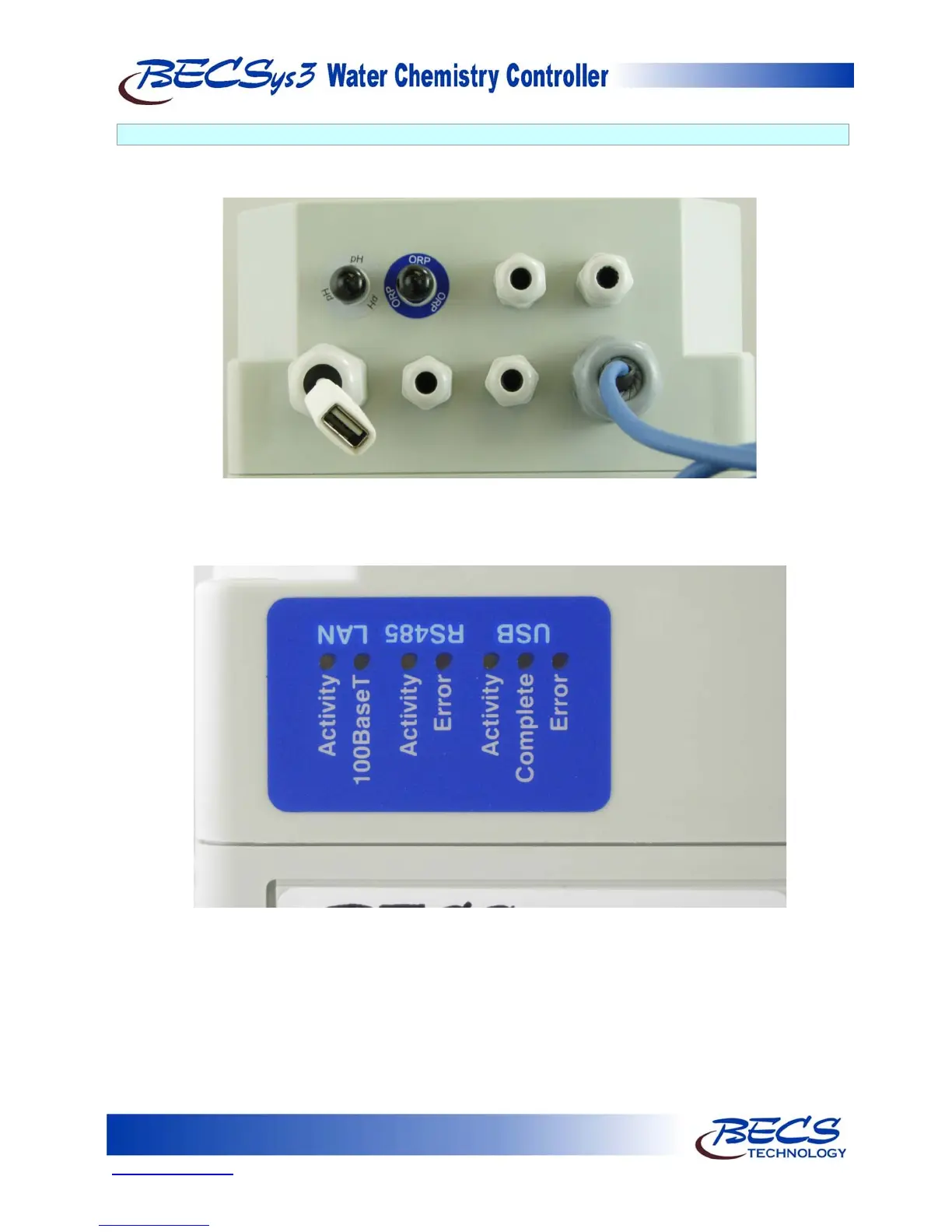
Plug your Flash Drive into the USB cable on the BECSysRCM3.
As soon as the Flash Drive is connected, the data transfer will start. There are three LEDs located on the side of
the BECSys3 controller which indicate the transfer status.
The Flash Activity LED should be blinking any time there is data transfer between the Flash Drive and the
BECSysRCM3. Once transfer is completed, either the Success (green) LED or the Error (red) LED should be
illuminated. If the Error LED is illuminated, unplug the Flash Drive and then plug it in again. This will start the
data transfer again. If the Error LED is illuminated again, there is some problem with the Flash Drive. The Flash
Drive may be full or the BECSysRCM3 may not recognize it – see the troubleshooting section for more
information on how to resolve this.
Once the data transfer has been successful, take the Flash Drive to your PC and plug it in. Windows should
recognize the Flash Drive and install drivers if necessary.



 To Next Page