Page 4
www.becs.com 9487 Dielman Rock Island Ind Dr, St. Louis, MO 63132
Operation and Maintenance Manual
Rev:
K12
Section A: Programming the Controller
A – 1: Controller Options
Depending on how a particular controller is
configured, not all of the options listed in this
manual may be available.
If your controller is configured to monitor Free Cl, it
may be either calculated or a probe may be attached.
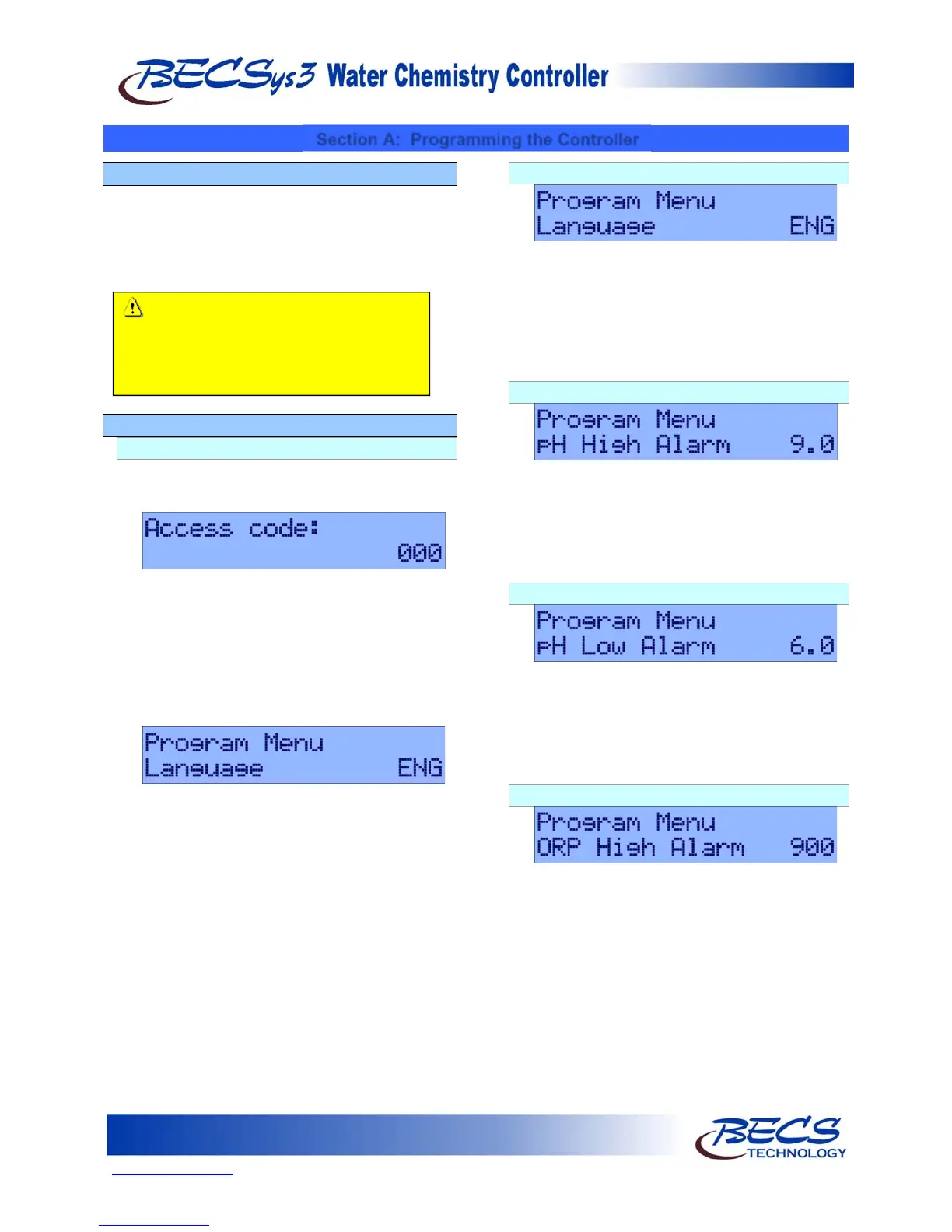
A – 2: The Program Menu
A – 2.1: Entering the Program Menu
To enter the program menu, press and hold both
the Cal and Up key for three seconds. At the end
of three seconds, one of two things will happen.
If access codes have been set, the unit will
prompt you for an access code. Use the Arrow
keys to change the current digit, and press the
Set Points key to go to the next digit. Press the
Enter key when you have finished entering your
code. Once the access code has been entered,
the controller will either display the first menu
item or display "Access denied" if the code you
entered is invalid.
When the LCD screen clears, release the keys
and “Program Menu” should appear at the top
of the display.
Once in the program menu, use the Arrow keys to
scroll to the setting you wish to change. Press the
Enter key to select the setting, and then use the
Arrow keys to modify the value. Press the Enter
key again to enter the new value and return to the
menu. To exit the program menu, scroll to the
“Exit menu” option and press the Enter key.
NOTE: After five minutes of no programming
activity, the Time-Out feature will
automatically exit the programming
menu.
A – 2.2: Selecting Language
The BECSys3 can be programmed to display in
three different languages. Pressing the Enter key
will display “Modify Value” and the current
selected language. Use the Arrow keys to select
between ENG (English), ESP (Spanish), and FRA
(French), and press the Enter key to select the
language you would like to use for the display.
A – 2.3: pH High Alarm Point
Pressing the Down Arrow displays pH High
Alarm followed by the current pH high alarm
point. To change this setting, press the Enter key,
use the Arrow keys to input the value you would
like, and then press the Enter key again to save the
new value.
A – 2.4: pH Low Alarm Point
Pressing the Down arrow displays pH Low Alarm
followed by the current pH low alarm point. To
change this setting, press the Enter key, use the
Arrow keys to input the value you would like, and
then press the Enter key again to save the new
value.
A – 2.5: ORP High Alarm Point
Pressing the Down arrow displays ORP High
Alarm followed by the current ORP high alarm
point. To change this setting, press the Enter key,
use the Arrow keys to input the value you would
like, and then press the Enter key again to save the
new value.
Caution: Amperometric chlorine sensors
require the use of a temperature sensor and
a properly calibrated pH sensor. Refer to
the instruction pamphlet included with the
sensor at the time of installation.



 To Next Page