Page 9
9487 Dielman Rock Island Ind Dr, St. Louis, MO 63132 www.becs.com
Operation and Maintenance Manual
Rev:
K12
Section C: Using the BECSysRCM3
C – 1: Monitoring a Controller
The BECSysRCM3 maintains a connection to all of the BECSys2/BECSys3 controllers attached to it. By connecting
to the BECSysRCM3, you may monitor any of the BECSys2/BECSys3 controllers attached to the BECSysRCM3.
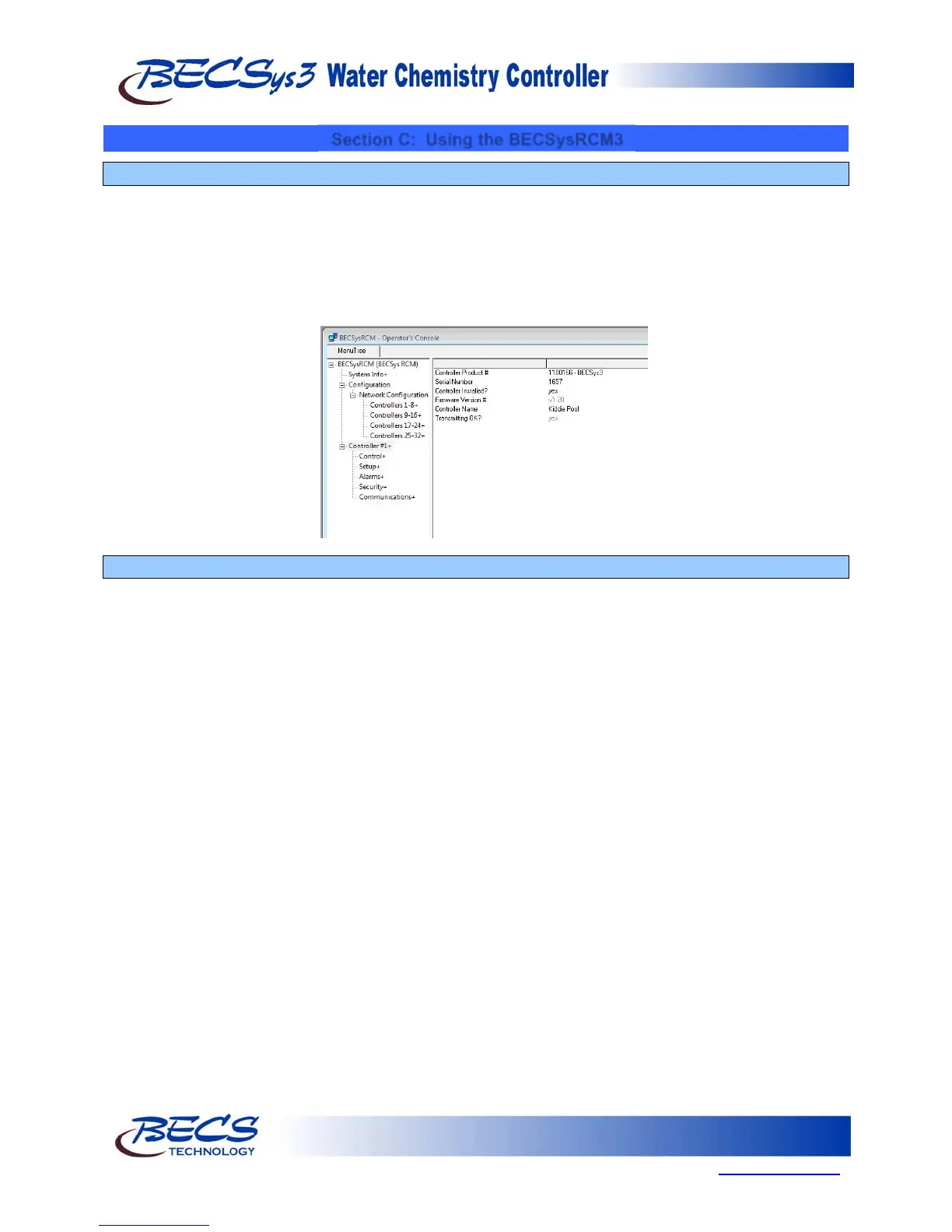
To monitor a particular controller, select the controller number from the left hand side of the menu tree. Here you
can see information on the controller including the Product Number, Serial Number, and the Controller Name if it
was provided. From here you can also view and change the controller settings including Set Points, Alarm Points, etc.
You can also view the current state of the relay outputs.
C – 2: Downloading Data Logs
The BECSysRCM3 allocates space for downloading data at midnight each day. If a controller is added during the day,
logs will not be stored until midnight when the space is allocated.
The BECSysRCM3 collects and stores data from the controllers that are connected to it. BECSys for Windows is
used to view this data. To download the data logs, you may either download the site (as you would for a controller)
using BECSys for Windows, or use a Flash Drive and import the data logs into BECSys for Windows later.



 To Next Page