Page 25
9487 Dielman Rock Island Ind Dr, St. Louis, MO 63132 www.becs.com
Operation and Maintenance Manual Rev: C17
Section B: The Normal Display
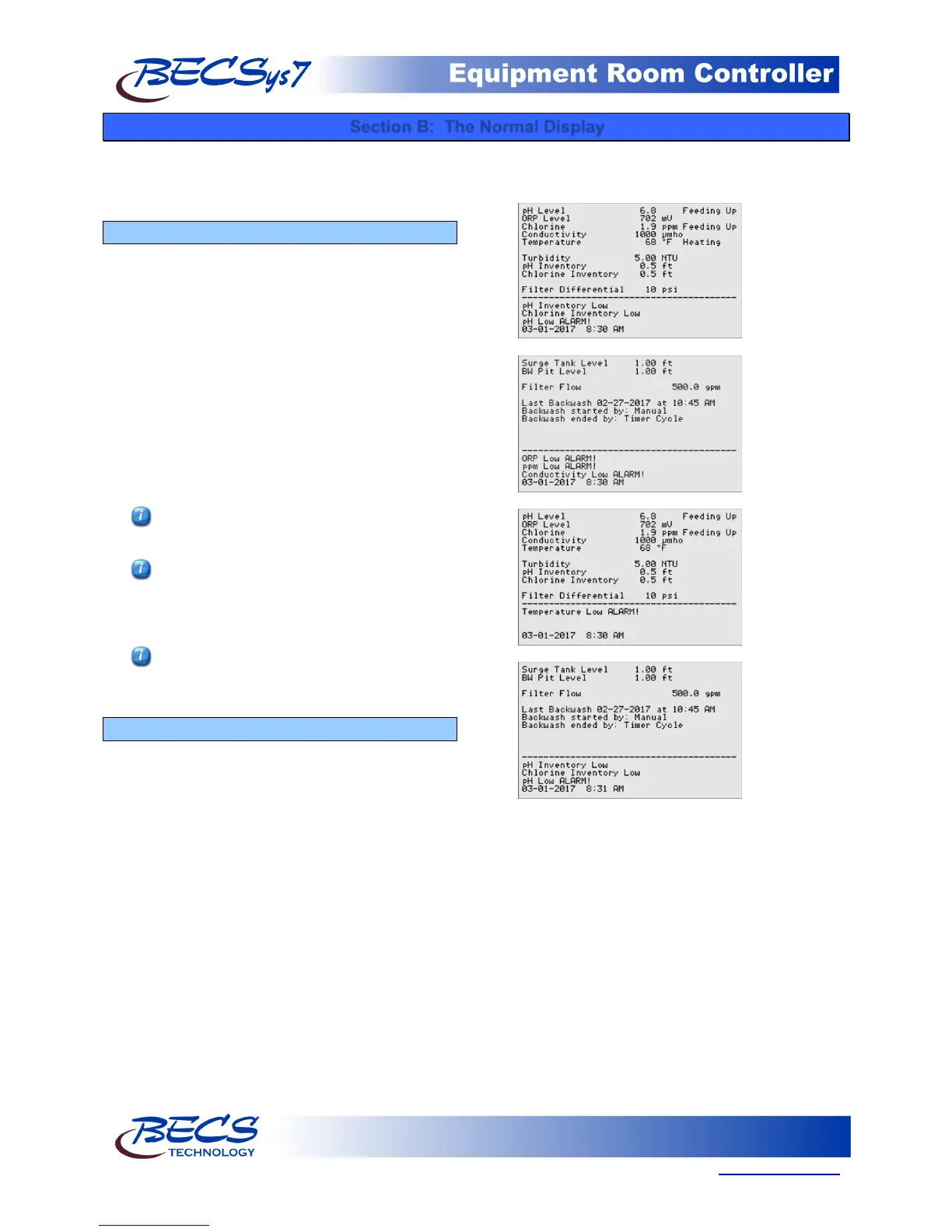
The normal display refers to the screens that display all
of your inputs, current alarms, and status messages.
These are read only and do not offer any selections to
chose from.
B – 1: Inputs and Feeds
When no alarms or status messages are present, the
entire screen will be used to display all of the enabled
inputs. If a particular input is used by a control
output and the control output is feeding based off of
that input, the controller will display a message next
to that input indicating so.
Other information such as LSI/RSI calculated values
and Customer/Location/Rep information may also
be displayed.
If there are more items to show than there is room
for, the controller the controller will page through
them until they all have been displayed, then start
over.
Pressing the right arrow key (Next) will
display the next page.
Pressing the Lock Screen button will prevent
the controller from paging the screen to show
more inputs, alarms, and other status
information.
You can adjust the rate at which the controller
pages by pressing the up and/or down arrow
keys.
B – 2: Alarms & Status messages
When one or more alarms are active, the bottom
three lines are used to list them. If more than three
alarms are active, the controller will page through
them three at a time until they all have been
displayed, then start over.
Super chlorination, dechlorination, sensor wash,
backwash, and power saver all display status
information in this area as well. If there are any
active alarms while one or more of these control
functions' are active, the alarms will be shown every
other page while the control functions will alternate
with each other.



 To Next Page