Page 27
9487 Dielman Rock Island Ind Dr, St. Louis, MO 63132 www.becs.com
Operation and Maintenance Manual Rev: C17
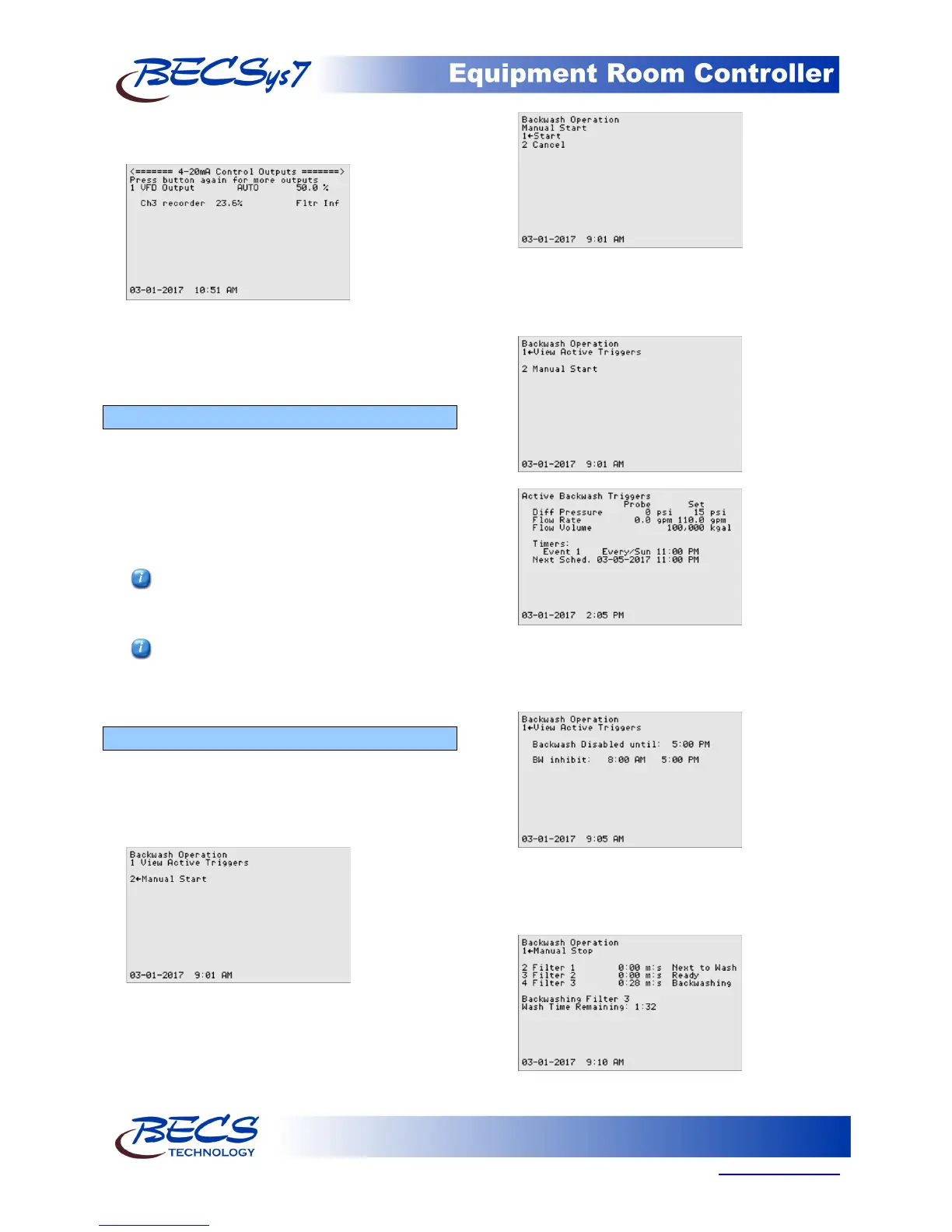
pressing the Relay Mode Key again will display the 4-
20mA Control Outputs.
From here you can also switch the VFD between
auto and manual on. The manual on is the same as
Manual override speed in the recirculation pump
screen.
C – 3: The Cal Key (calibration)
The Cal (calibration) key on the front face panel,
when pressed shows you the inputs you can perform
a single point calibration. The standard inputs that
can be calibrated are pH and ORP. Any other inputs
you have enabled can also be calibrated from this
Menu screen. Select the input you wish to calibrate
and enter the proper value.
Perform a single point calibration if the
reading is off by a consistent amount
throughout the input range.
If the readings are accurate at one reading,
but are off by an increasing amount the
farther away you go from that reading, contact
your distributor.
C – 4: The Backwash Key
When all of the necessary components needed for
backwash have been assigned and configured, and if
there are no conditions preventing a backwash, the
Backwash Key allows you to start a manual
backwash.
If any automated backwash triggers have been
enabled, you may also view them along with their
associated input if applicable by selecting the View
Active Triggers.
The Backwash Key’s main screen will also list
anything preventing a backwash from occurring such
as an Emergency Off, configuration problems, and
the Backwash Inhibit Timer.
During a backwash, the Backwash Key displays the
progress of each filter and allows you to restart,
switch to, or cancel a particular filter as well as cancel
the backwash entirely.



 To Next Page