14
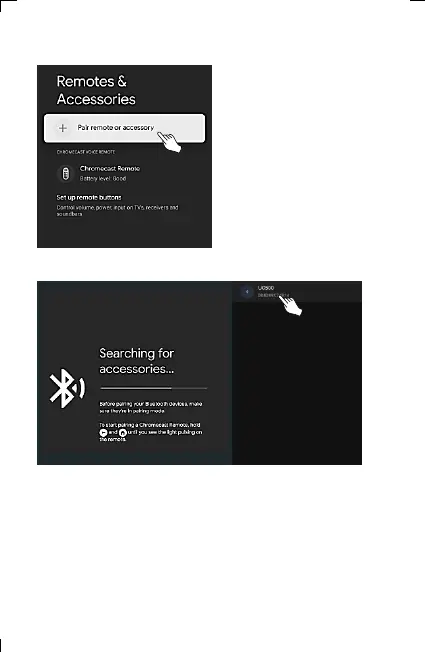
12) Select “pair a remote control or
accessory”.
13) When the UC500 device screen is displayed, selecting the device
automatically initiates pairing proceed. (Searching may take more
than 30 seconds depending on the situation.)
If the device is not searched, proceed from step 7 again.
6. Adding and Using OTT/Bluetooth Devices OTT/Bluetooth



 To Next Page