EasyManua.ls Logo

Beeper RWEC99X - User Manual

Beeper RWEC99X
35 pages
Go to English
Print Icon
To Next Page IconTo Next Page
Loading...
VIDEO DE RECUL
Camion • Camping Car • Fourgon
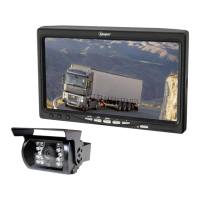
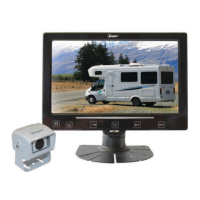
REAR VIEW SET
Truck • Motorhome • Van
CÁMARA DE MARCHA ATRÁS
Camión • Autocaravana • Furgoneta
Type Voltage Reference
Vidéo de recul • filaire 12V RWEC99X
Rear view set • wired 24V RWEC99X/24
Cámara de marcha atrás • cableada
Vidéo de recul • radiofréquence 12V RWEC100X-RF
Rear view set • wireless
Cámara de marcha atrás • radiofrecuencia
Vidéo de recul • caméra double foyer
Rear view set • double lense camera 12V RWEC200X-BL
Cámara de marcha atrás • cámara bifocal
Question and Answer IconNeed help?

Do you have a question about the Beeper RWEC99X and is the answer not in the manual?

Beeper RWEC99X Specifications

General IconGeneral
BrandBeeper
ModelRWEC99X
CategoryAutomobile Accessories
LanguageEnglish

Summary

Beeper Rear View System: Set Components

Beeper System: Before Installation Checks

Vehicle Safety & Installation Precautions

Follow regulations, ensure safe operation, keep children away, and manage heat exposure during installation.

Professional Installation Best Practices

Optimize monitor placement, verify vehicle systems, use secure wiring, protect cables, and conceal wiring for safety.

Humidity and Multiplexed Vehicle Notes

Address condensation effects on monitors and specific connection requirements for multiplexed vehicles.

Installing Beeper Monitor and Camera

Monitor Mounting and Angle Adjustment

Detailed steps for positioning the monitor, attaching the bracket, and adjusting height and viewing angle.

Camera Fixing and Optimal View Setup

Instructions for securing the camera bracket, drilling for cable passage, and adjusting the camera's field of view.

Connecting the RWEC99 X and RWEC99 X;24 System

Connecting the RWEC100 X-RF Wireless System

Connecting the RWEC200 X-BL Dual-Lens System

Beeper Monitor: Controls and Functions

Understanding Monitor Buttons

Guide to monitor buttons for camera selection, view changes, menu navigation, volume, and power control.

Camera View Rotation and Mirroring

How to adjust camera display orientation (rotation, mirror) for optimal forward or rear viewing.

Using Your Beeper Rear View System

System Activation Modes

Explanation of how the system activates automatically with reverse gear or ignition for different viewing functions.

Wireless System Performance Notes

Information on wireless range, potential interference, and options for wired conversion or multi-camera setups.

Beeper System Dimensions and Schematics

Optional Accessories for Beeper Systems

Beeper Product Warranty and Support

Beeper EC Conformity and Compliance

Related product manuals