Beijer Electronics Frequency Inverter BFI-H3 KI00363B 2019-09
www.beijer.se www.beijer.no www.beijer.dk www.beijerelectronics.de www.beijerelectronics.com www.beijerelektronik.com.tr 23 (29
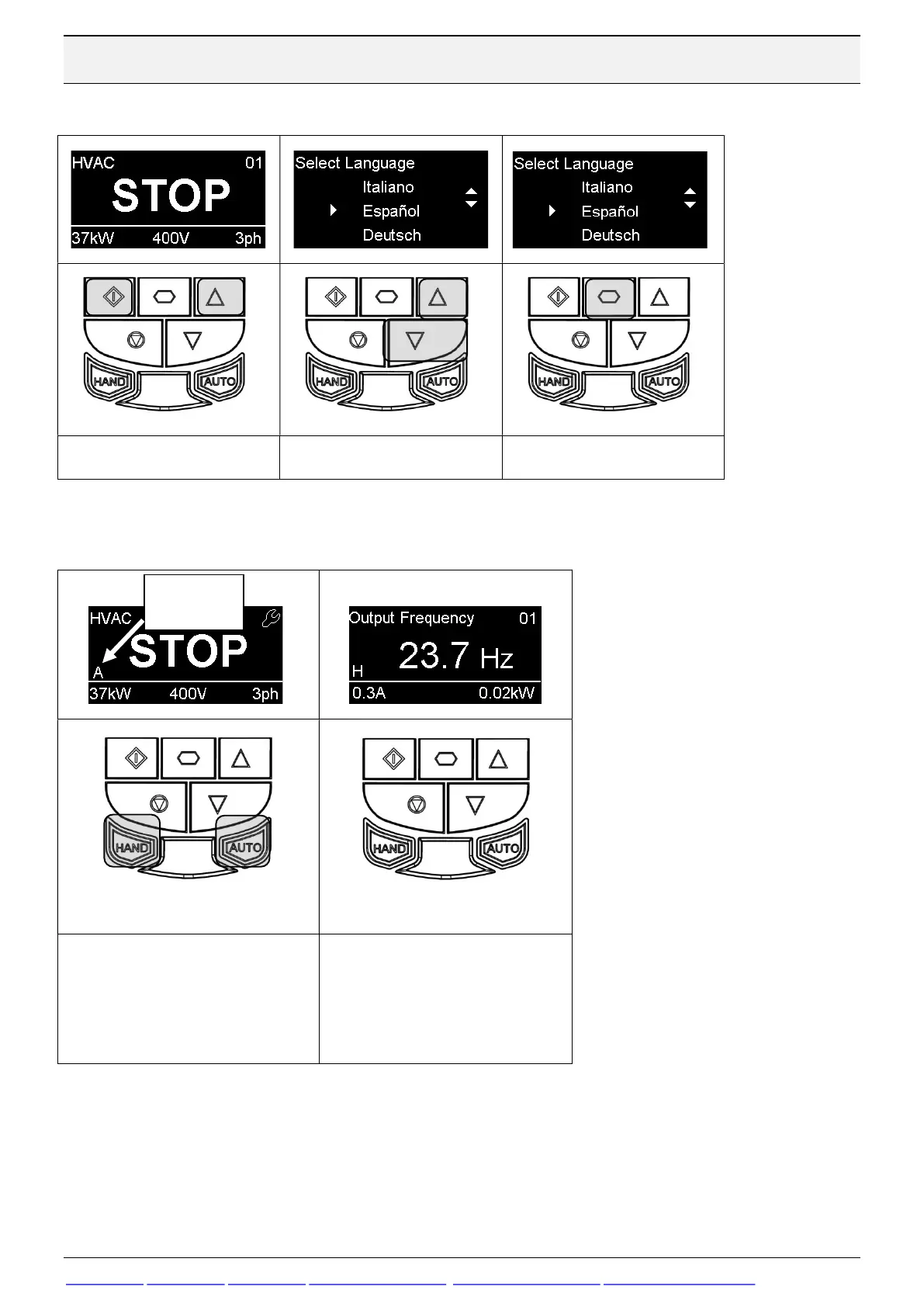
6.4 Changing the Language on the OLED Display – OLED Keypad
Hold down the Start and
Use the Up and Down to
Press the Navigate button
6.5 Selecting between Hand and Auto Control – OLED Keypad
The active control source is
shown on the OLED display.
Use the Hand and Auto buttons
on the keypad to switch between
control sources
Hand mode permits drive
control directly from the drive
keypad.
Auto mode control source is
configured with Parameter P1-
A = Auto


 To Next Page