Timer Instructions
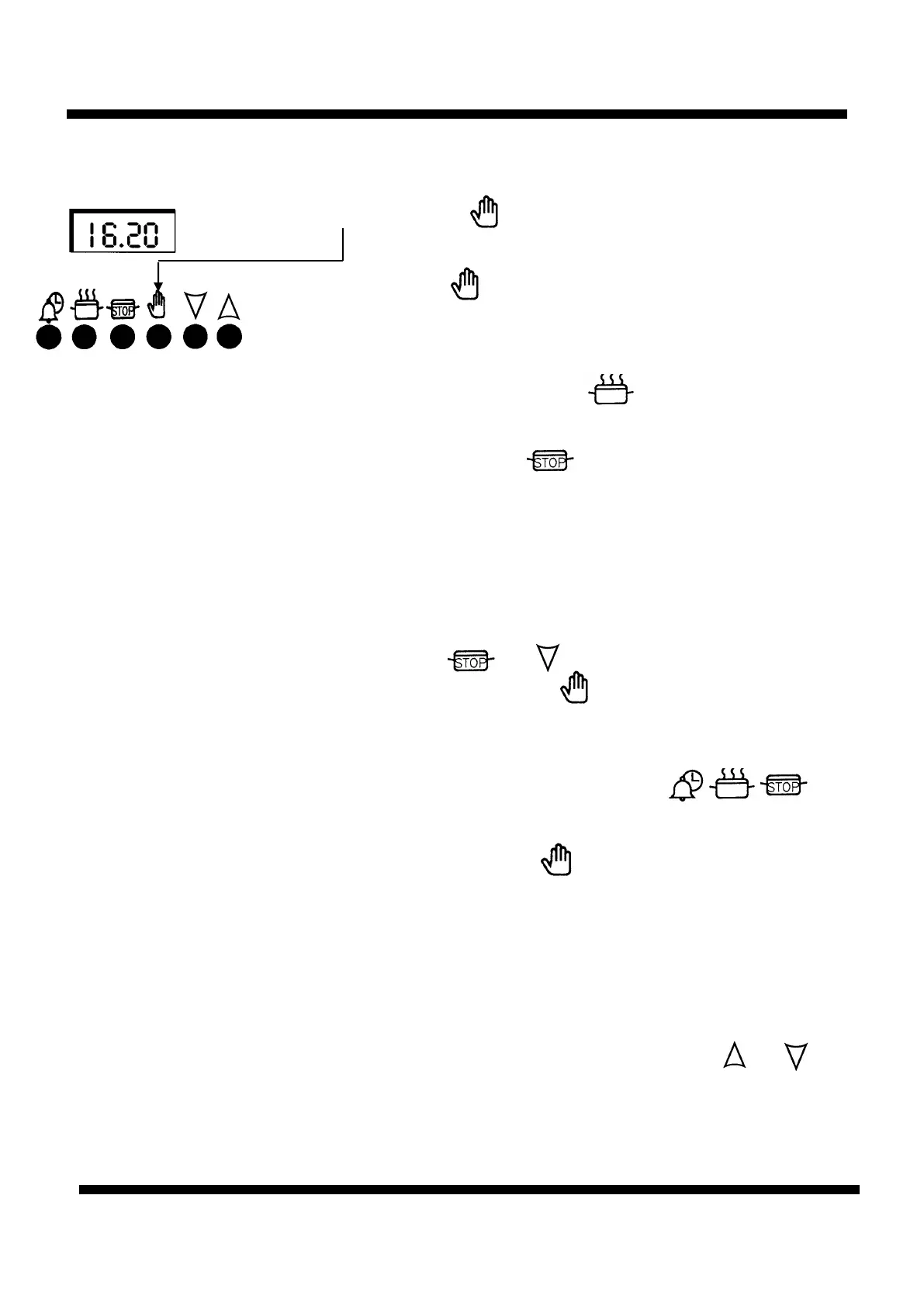
To set Timer to switch ON & Step 6 Turn off the oven control
OFF Automatically (Continued)
Step 7 Press the button to cancel the bleeping
(If 2 minutes has not elapsed)
Press button again to return to manual operation.
Other Notes On Timer 1. When cooking Automatically the cook period can be checked at
Operation any time simply by pressing the “ “ button.
2. When cooking Automatically the stop time can be checked at any time
simply by pressing the “ “ button. (This also can be altered at any
time by following Step 4 previously).
3. Having set a cooking period and stop time an electronic device stores
the information. The device within the timer will switch the oven on at
the required start time.
4. If a mistake is made, alter the display to show 0.00 by pressing and
holding the and “ “ buttons.
Release and then press the button (See step 7 above).
Restart the programming sequence.
5. After an automatic sequence the bleeping sound can be switched off by
pressing any of the following three buttons.
However, the large oven cannot be operated until the timer has been
set to manual. Press the button (See Step 7 above).
6. If at any time the display shows three flashing zeros 0.00. It is likely that
the electricity supply to the oven has been interrupted. Reset the timer
to the correct time of day. If there is any food in the oven, make sure
that it has been cooked thoroughly before serving.
7. To give yourself more time to set each function press and hold the
required function button and at the same time press “ “ or “ “
button.
Note: Between the hours of 10.00 p.m. and 6.00 a.m. the intensity of the
display reduces.



 To Next Page