PowerOn/OH
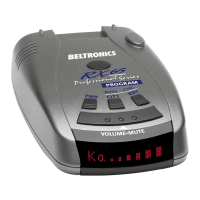
To
tum
the
RX65
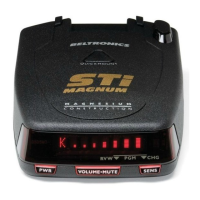
on, press
the
PWR
button
on
the
left side
of
the
top
case.
When
you
turn
the
RX65
on, it goes through a
sequence
of
alerts.
If
you prefer, you may program
your
RX65 for a shorterpower-on sequence. See
the
Programming section for details.
Voice
The
RX65
has
our
Digital Voice feature,
which
provides a digital voice
announcement
of
the
band
being detecting.
If
you prefer, you
can
turn
the
Digital
Voice feature offin programming. See
Programming section for details.
Power-on
indication
After RX65's start-up sequence
is
complete,
the
alphanumeric display will
show
Highway, City,
or
AutoScan to indicate
which
sensitivity
mode
is
selected.
If
you prefer, you
can
select alternate
power-on displays. See
the
Programming
section for details.
AutoMute
Your
RX65
has
our
patented
AutoMute
feature. After
RX65
alerts you
to
a radar
encounter
at
the
volume you have selected,
the
AutoMute feature will automatically
reduce
the
volume to a
lower
level. This
keeps
you informed
without
the
annoyance
of
a continuous full-volume alert.
8
If
you prefer, you
can
tum
the
AutoMute feature off. See
the
Programming
section for details.
Volume
/
Mute
Button
To adjust
the
alert
tone
volume, press
and
hold
the
Volume/Mute
bar
located
on
the
top
case.
The Mute button, located
on
RX65's
top
case, allows
you
to silence
the
audio
alert during a radar encounter.
To
mute
the
audio for a single specific
signal, briefly press
the
Volume/Mute
button. After that radar
encounter
has
passed, the
mute
will automatically reset
and
the
audio will alert
you
to the
next
encounter.
Highway
/
AutoScan
/
City
Switch
The
City
button
selects RX65's sensitivity
mode. We
reconunend
the
AutoScan
mode
for most driving.
RX65's AutoScan
mode
provides long-
range warning,
with
minimum false alanns.
In
this mode, RX65's internal
computer
continuously analyzes all incoming signals
and intelligently adjusts
the
sensitivity.










 To Next Page