TD-550/560 Oil in Water Analyzer General Considerations for Analysis
PN 106737
REV H
TD-550/560 Oil in Water Analyzer
Operation Manual
13
3 GENERAL CONSIDERATIONS FOR ANALYSIS
This section provides an overview of analyzing samples with the TD-550/560. For more details, see
the Quick Reference cards as well as Section 4 fastHEX™ Analysis Method and Section 5 No-Solvent
Analysis Method.
3.1 ANALYZING A SAMPLE
To analyze a sample
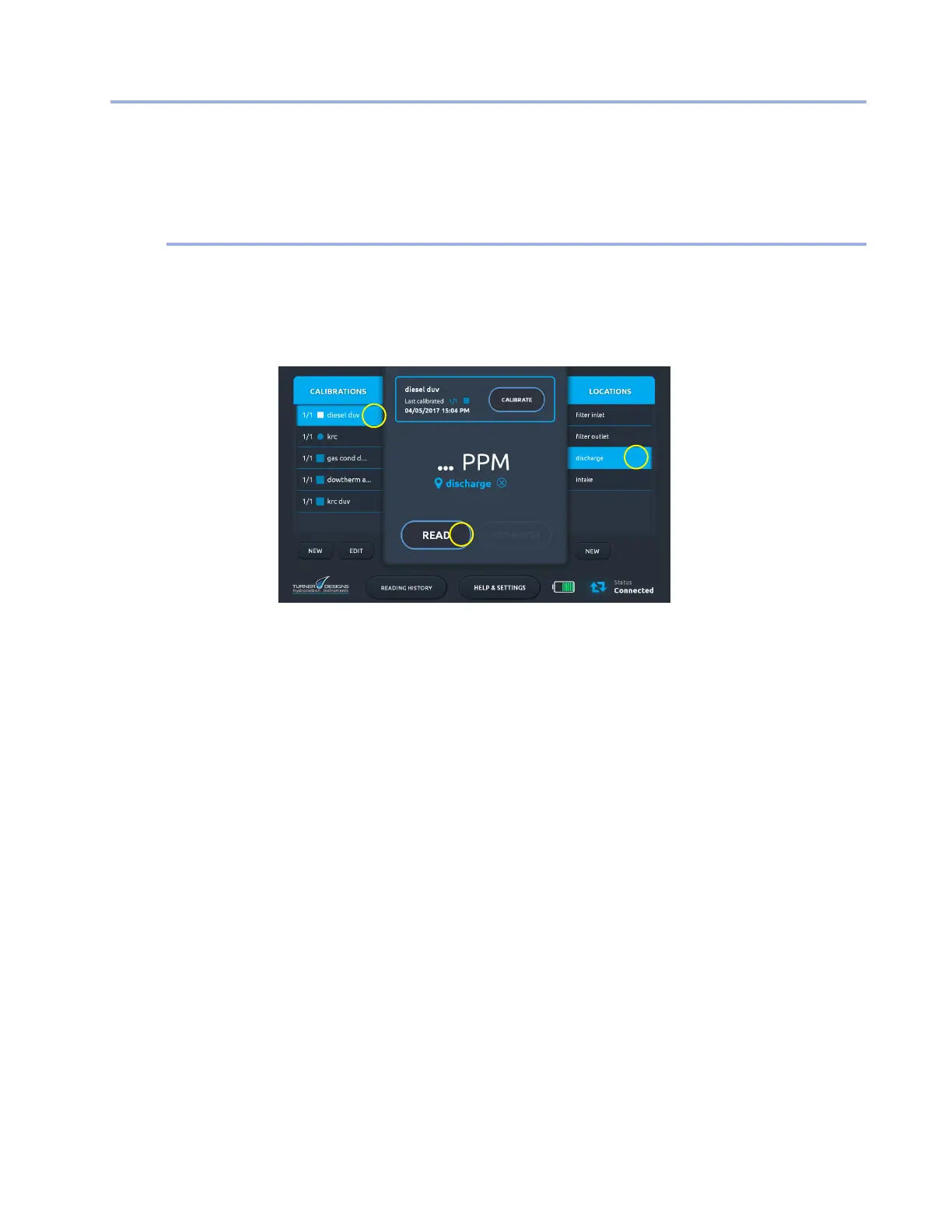
1. Turn on the analyzer tablet and tap Start on the Start screen.
2. On the Home screen select a saved calibration (1) in the Calibrations list.
1
3
2
NOTE: You cannot analyze a sample unless the TD-550/560 has at least one stored
calibration. If you have not calibrated the analyzer, follow the calibration procedure in either
Section 4 fastHEX™ Analysis Method or Section 5 No-Solvent Analysis Method.
3. If applicable, select a saved location (2) from the Locations list, or tap New to create a location.
4. Insert your sample in a clean cuvette. Be sure to wipe any oil or nger prints from the outside
of the cuvette.
5. Open the sample well lid, insert the cuvette in the cuvette adapter, and close the lid. If using
the 10 mm square cuvette, be sure to install in the cuvette adapter with the mark on the
cuvette facing forward.
6. Tap Read (3). A new reading is stored in the Reading History screen.
For video tutorials on analyzing samples, see the How to Video Library on the Help & Settings
screen.


 To Next Page