TD-550/560 Oil in Water Analyzer Troubleshooting
PN 106737
REV H
TD-550/560 Oil in Water Analyzer
Operation Manual
27
6 TROUBLESHOOTING
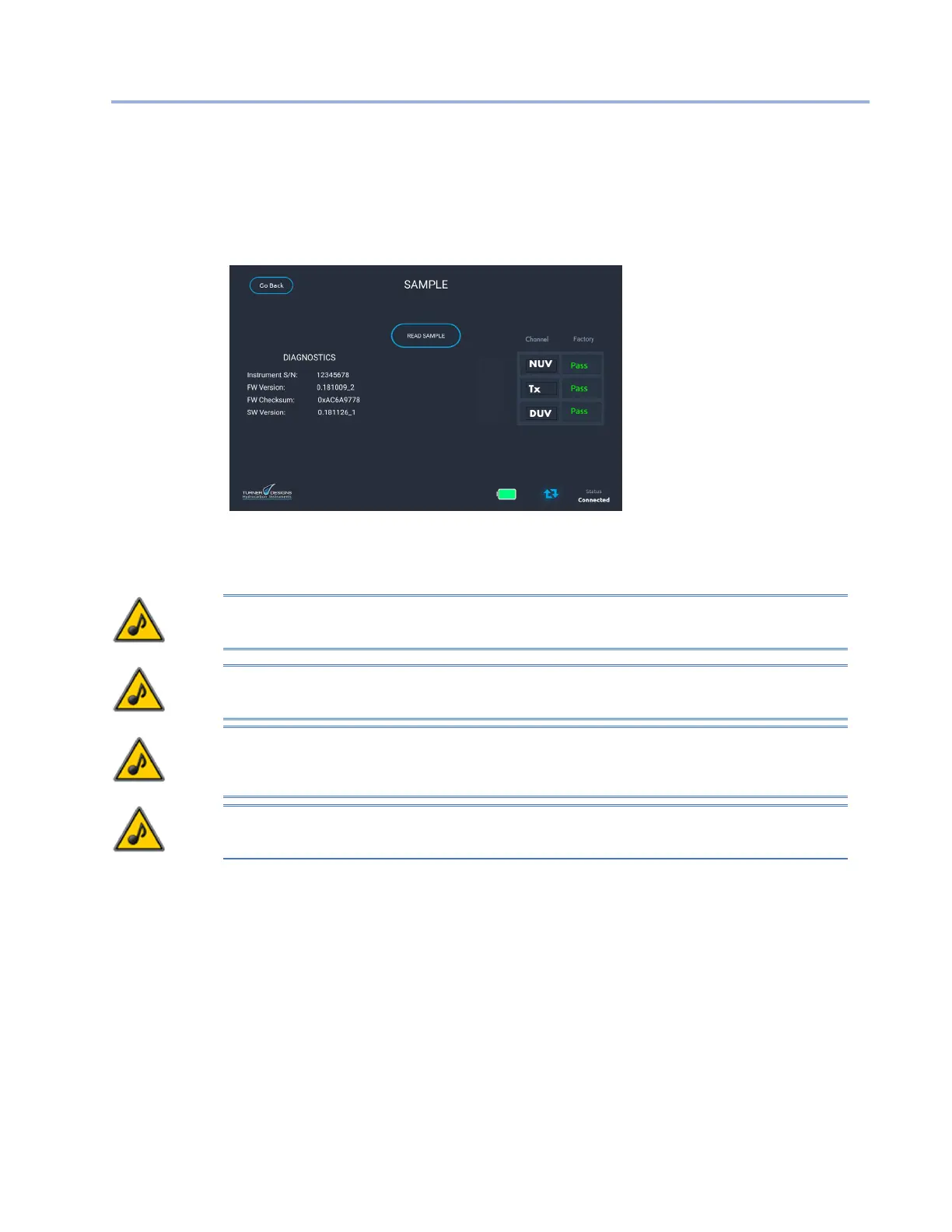
The diagnostic screen is accessed from the Help & Settings screen. The screen displays the serial
number, rmware version, and software version.
Diagnostics Screen
Also, in the Diagnostics screen, the operation of the TD-550/560 can be checked at any time by using
the Functional Check Solution (PN 106424). Do not perform the check with any solution other than PN
106424, which must be within the validity period stated on the label.
NOTE: If you have a TD-550, you must perform the functionality check with the 8 mm cuvette
adapter and 8 mm cuvette. Do not use the square cuvette and square cuvette adapter.
NOTE: If you have a TD-560, you must perform the functionality check with the square cuvette
adapter and square cuvette. Do not use the 8 mm round cuvette and adapter.
NOTE: The PN 106424 Functional Check Solution is a water-based solution. Make sure the cuvette
is completely dry and does not have any solvent residue. Never pour the solution back into the
container.
NOTE: The functionality check is dependent upon the cuvette adapter mounting position and cuvette
position. Failure to correctly position these can cause apparent functionality test failures.
To check the functionality of the TD-550/560
1. Fill a clean, appropriate cuvette with the PN 106424 Functional Check Solution.
2. Wipe the outside of the cuvette with a clean tissue and insert into the analyzer.
3. Close the lid and press Read Sample.
After a delay period, the current measurement results are reported as either Pass or Fail.
The evaluation is based upon the factory calibration, not the customer calibration. A pass result indicates
that the measurement channel is working properly. A fail result indicates that maintenance or repair of
the analyzer could be necessary.
A fail result does not necessarily mean the analyzer is damaged. You should assess if the correct
cuvette type is being used, the check solution is valid, and that the cuvette is clean. Another source of


 To Next Page