No-Solvent Analysis Method TD-550/560 Oil in Water Analyzer
26 TD-550/560 Oil in Water Analyzer
Operation Manual
PN 106737
REV H
To take the sample measurement
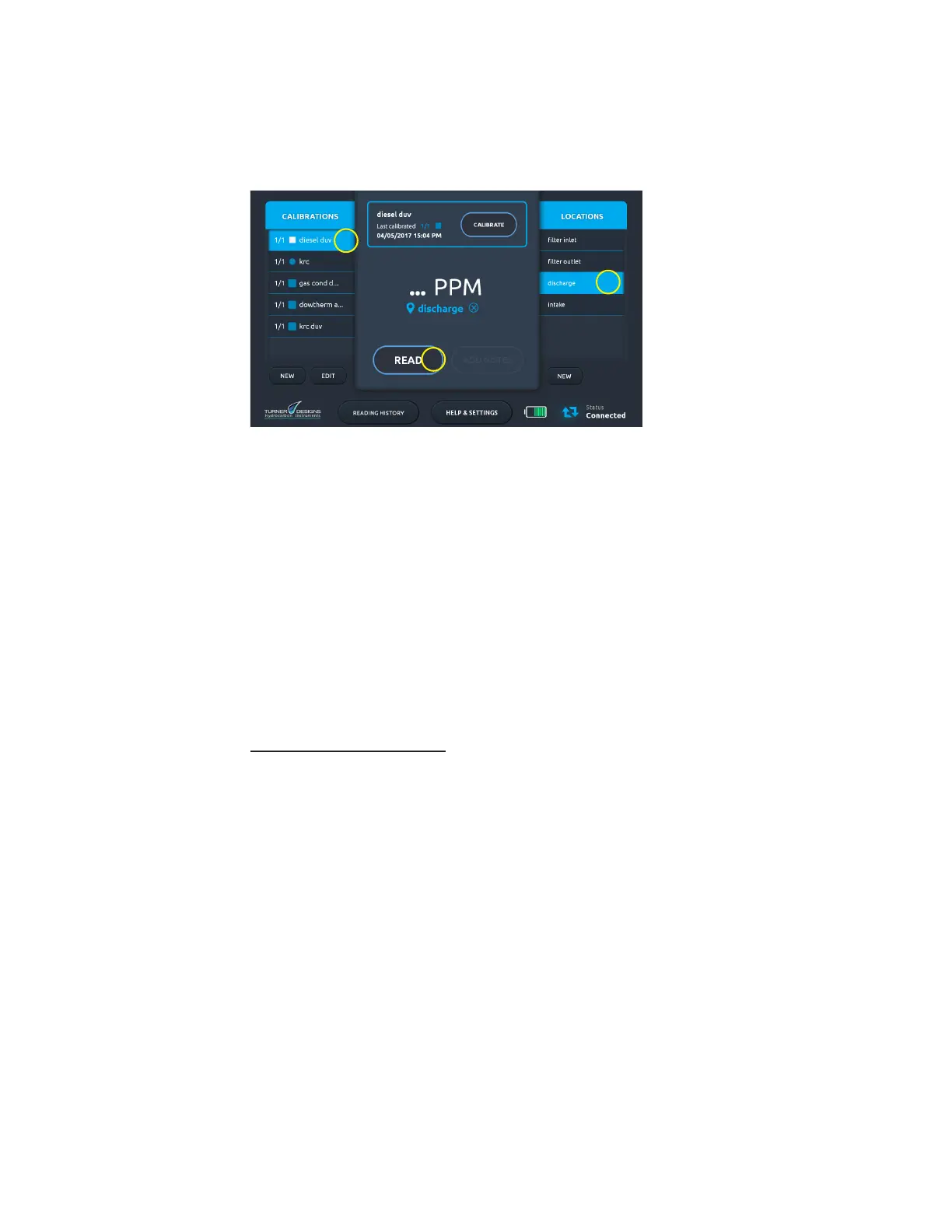
1. Turn on the analyzer tablet and tap Start on the Start screen.
2. On the Home screen select a saved calibration (1) in the Calibrations list.
1
3
2
3. Make sure that the 8 mm cuvette adapter that is in the sample well is the same one that was
used for calibration.
4. Wipe the OIW and BKG cuvettes with a Kimwipe to remove any ngerprints, dirt or liquid
droplets that might be present.
5. Place the OIW cuvette in the sample well and close the lid.
6. Tap Read Standard.
7. Record the OIW Reading.
8. Place the BKG cuvette in the sample well and close the lid.
9. Tap Read Standard.
10. Record the BKG Reading.
11. Calculate the oil concentration by subtracting the BKG reading from the OIW reading, as
shown in the following equation: Cdispersed = OIW Reading – BKG Reading.
Example:
OIW reading = 35.5
BKG reading = 10.0
Oil concentration = 25.5 ppm (dispersed oil)
For video tutorials on analyzing samples, see the How to Video Library on the Help & Settings screen.


 To Next Page