13
2.4 HOW TO GENERATE A BENDIX
®
FUSION
™
FLR-25
™
RADAR
SENSOR DIAGNOSTIC TROUBLE CODE (DTC) REPORT
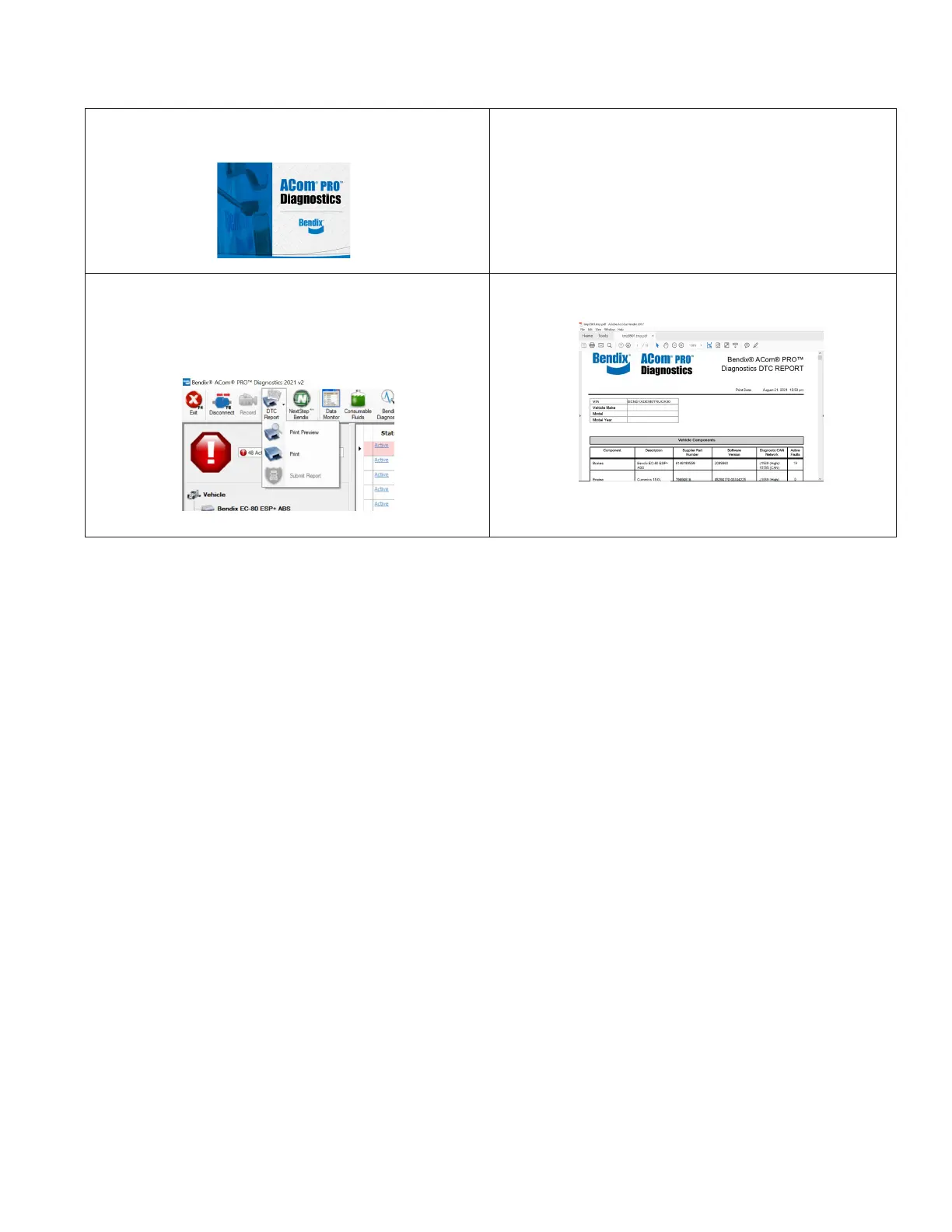
1. Connect a current version of the Bendix
®
ACom
®
PRO
™
Diagnostic Software with the vehicle.
2. Once the roll call is complete, you can select the DTC Report
icon on the top menu.
3. The DTC report drop-down gives you the following options:
• Print DTC Report
• Print Preview of the DTC Report
• Submit DTC Report
4. Select “Print Preview” to generate and save the report.


 To Next Page