36
3000 Series Retail Operators Manual 108796 Rev C, 07/05
How to Configure the Dispenser for Unit of Measure Menu Code 99
This menu code allows the manager to set the dispenser unit of measure. The options:
• 1 - Gallons
• 2 - Liters
• 3 - British Imperial Gallons
To select a different option in Menu Code 99, follow this procedure:
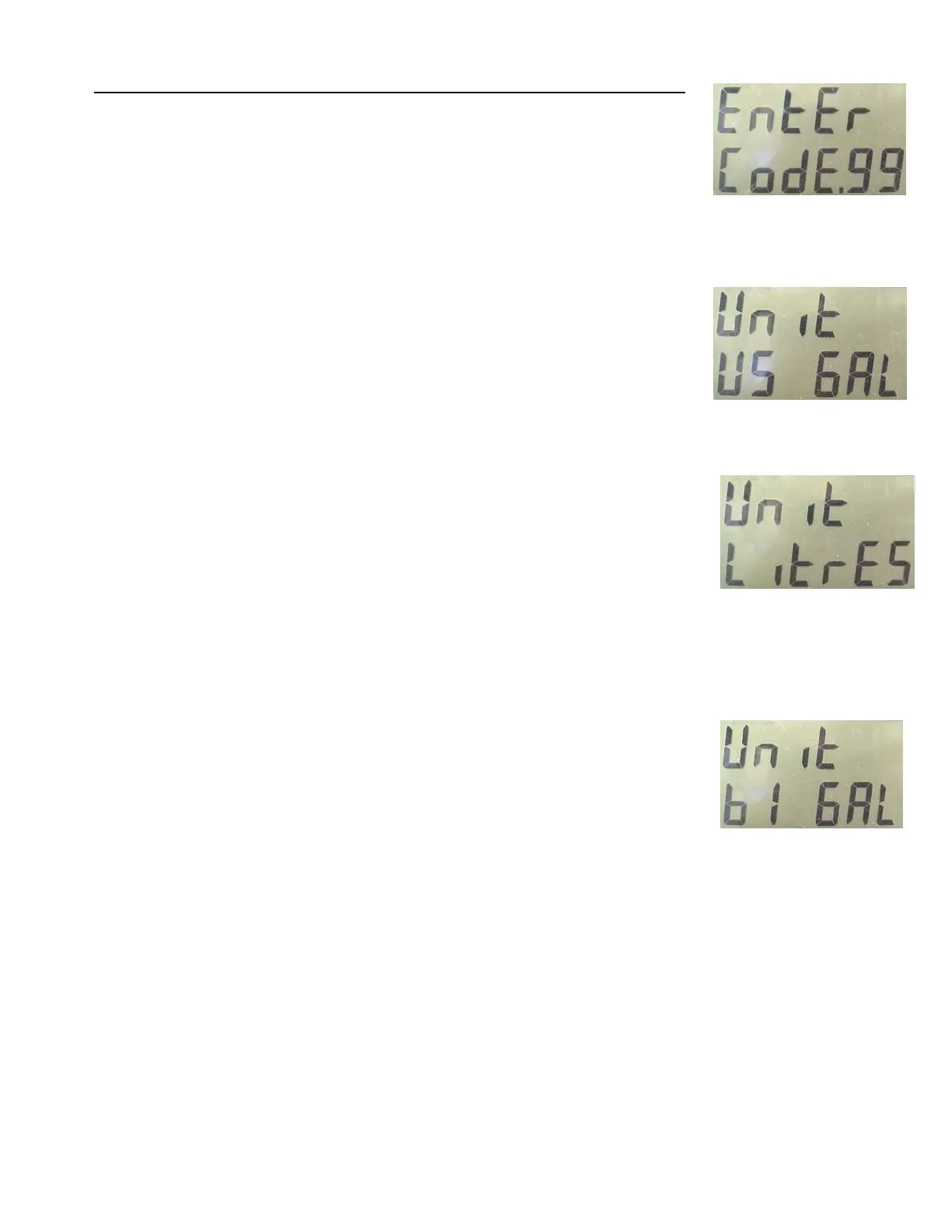
1. After the Manager’s Mode has been accessed, press the number 9 and 9, then the MODE but-
ton on the keypad. See Figure 1. The PPV display shows the dispenser is in Menu Code 99.
If the dispenser has not been programmed since it came from the factory, the Unit “US Gal”
appears in the main display. This is the default setting. See Figure 2.
2. To change the setting, press the 1, 2, or 3 button on the keypad. The choice is 1 for gallons (see
Figure 2), 2 for liters (see Figure 3), or 3 for British Imperial gallons (see Figure 4).
3. When the correct option number appears in the main display, press the ENTER button to save
the setting.
4. Press the CANCEL button to exit this menu code.
Fig. 1
Fig. 2
Fig. 3
Fig. 4



 To Next Page