Menu settings 27
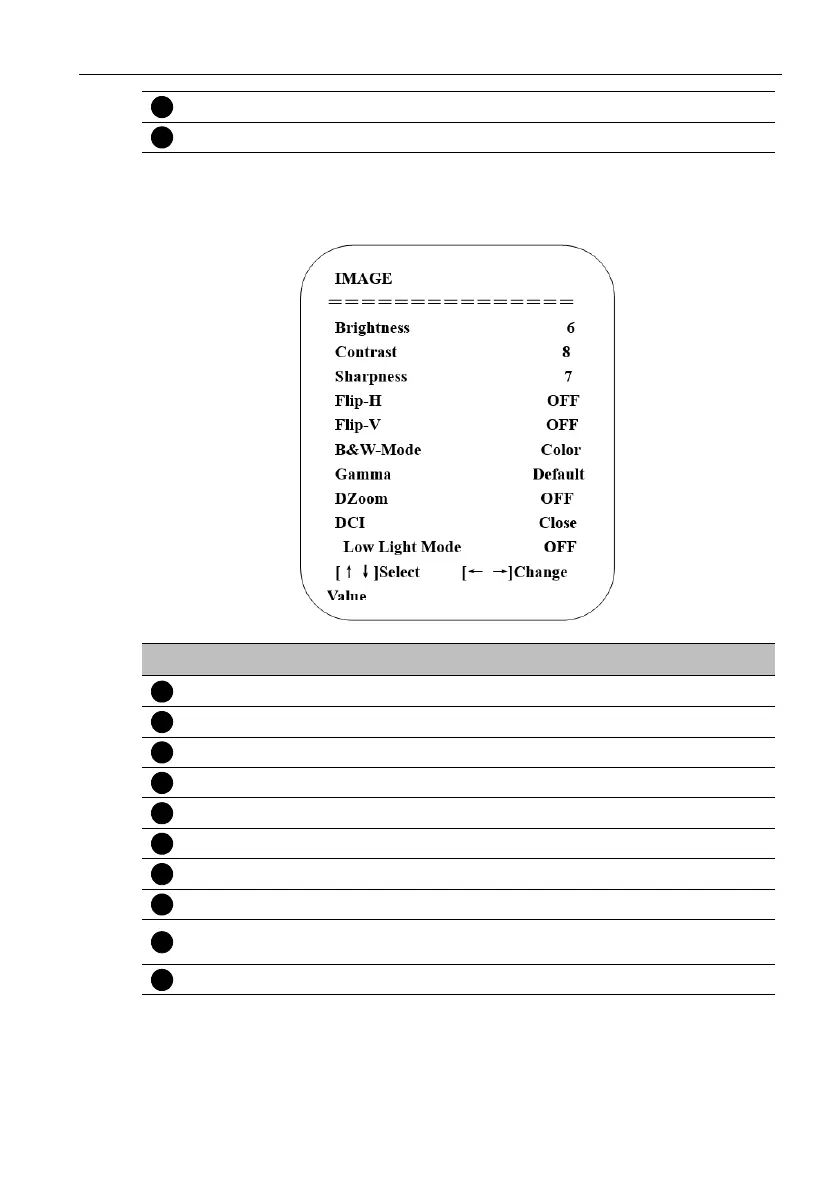
3. Image setting
Move the pointer to Image in the main menu, then click the HOME key and enter IMAGE
as follow.
Hue 0~14
AWB Sensitivity High/Middle/Low
No. Name Descriptions
Brightness 0~14
Contrast 0~14
Sharpness 0~15
Flip-H On/Off
Flip-V On/Off
B&W Mode Color, Black & White
Gamma Default, 0.45, 0.50, 0.55, 0.63
DZoom Digital zoom options: On/Off
DCI: Dynamic
Contrast
Off, 1 ~ 8
Low light mode On/Off



 To Next Page