- 30 -
4.2. Alignment procedure (for function adjustment)
A. Preparation:
1. Setup input timing ICL-605( 1280x1024@75Hz ), Pattern:5-Mosaic.
2. Setup unit and keep it warm up at least 30 minutes.
B. Timing adjustment:
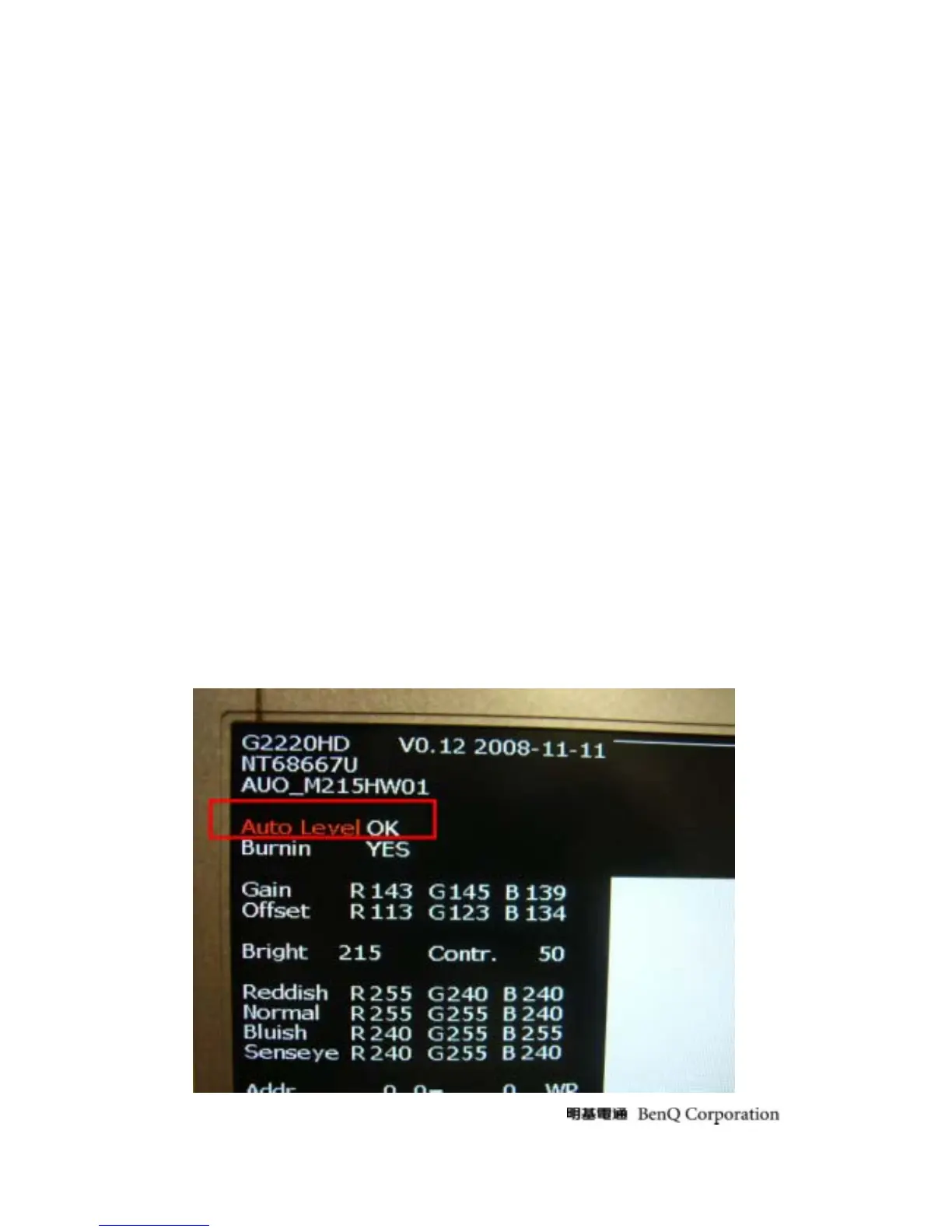
1. Enter factory setting area (press “ENTER”, “MENU” and then press “SOFTPOWER”).
2. Check the settings to following values:
Contrast = 50
Brightness = 90
Color = User Mode
Senseye mode = Standard
Language = English
Burn In =ON
Then, turn off the monitor power.
3. Turn on power enter user area.
C. Color balance adjustment:
1. Enter factory setting area (press “ENTER”, “MENU” and then press “SOFTPOWER”).
2. Setup input timings WS7 (1280x1024@75Hz), Pattern: 5-Mosaic.
3. Setup Color mode “User Mode”.
4. Press “I-KEY”( or Left key directly), and then OSD will show “White Balance” item and then
press “ENTER” button to do auto color.



 To Next Page