Connection
18
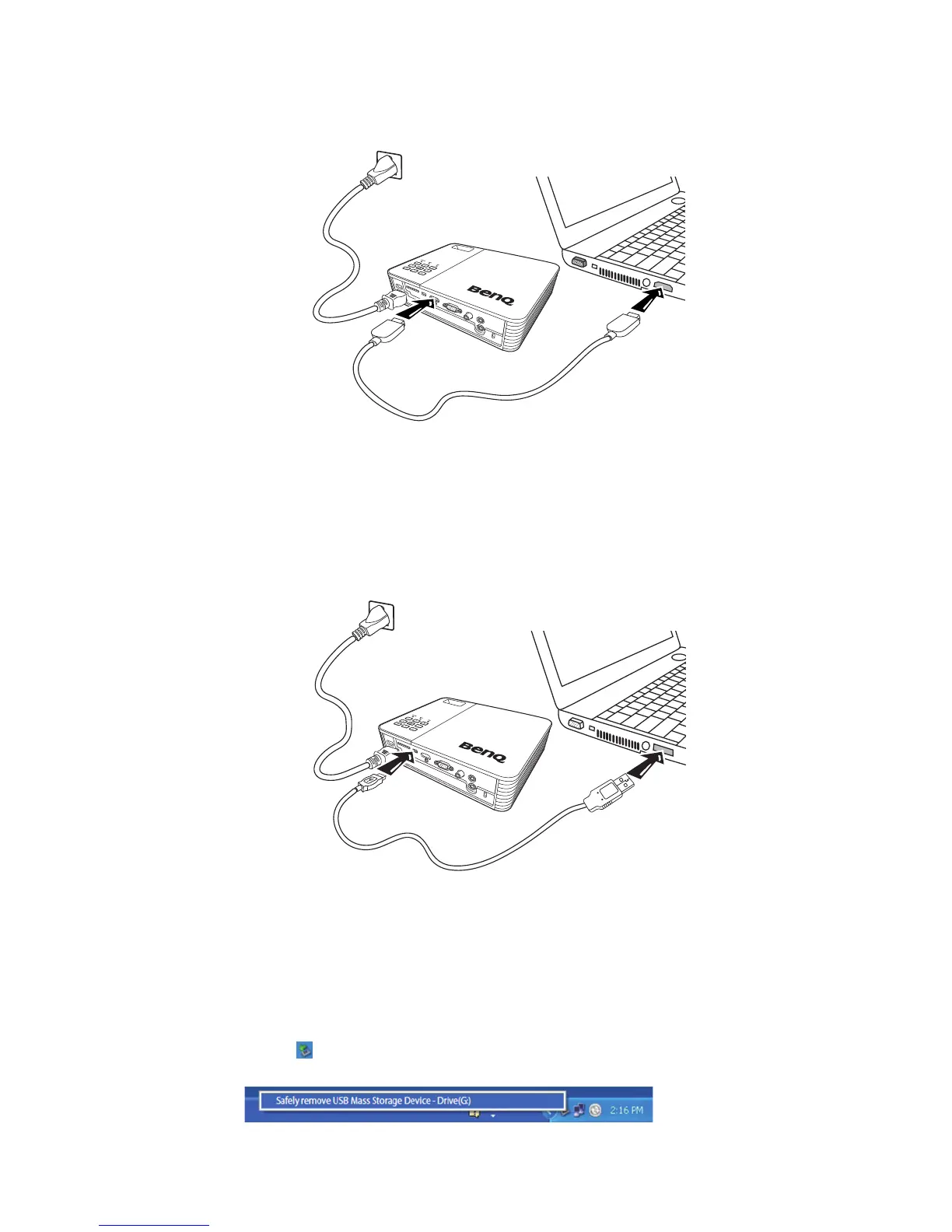
• Using an HDMI cable
1. Take an HDMI cable and connect one end to the HDMI output jack of the computer.
2. Connect the other end of the HDMI cable to the HDMI jack on the projector.
• Using a USB cable
1. Take a USB cable and connect the type A end to the USB output jack of the
computer.
2. Connect the mini-B type end of the USB cable to the mini-B USB jack on the
projector. When you connect the projector to a computer, you can display
computer’s image or transfer files from your computer to the internal memory of the
projector.
3. If you select USB Display, follow the on-screen message to install the USB driver in
your computer first.
4. If you select USB File Transfer, go to My Computer or Windows Explorer to access
the projector's files. The projector appears as a Removable Disk. Transfer the files
from your computer to the projector by dragging and dropping or copying and
pasting.
To disconnect the projector from a computer:
i. Click on the Windows Taskbar.
ii. Click the pop-up message.



 To Next Page