Operation
73
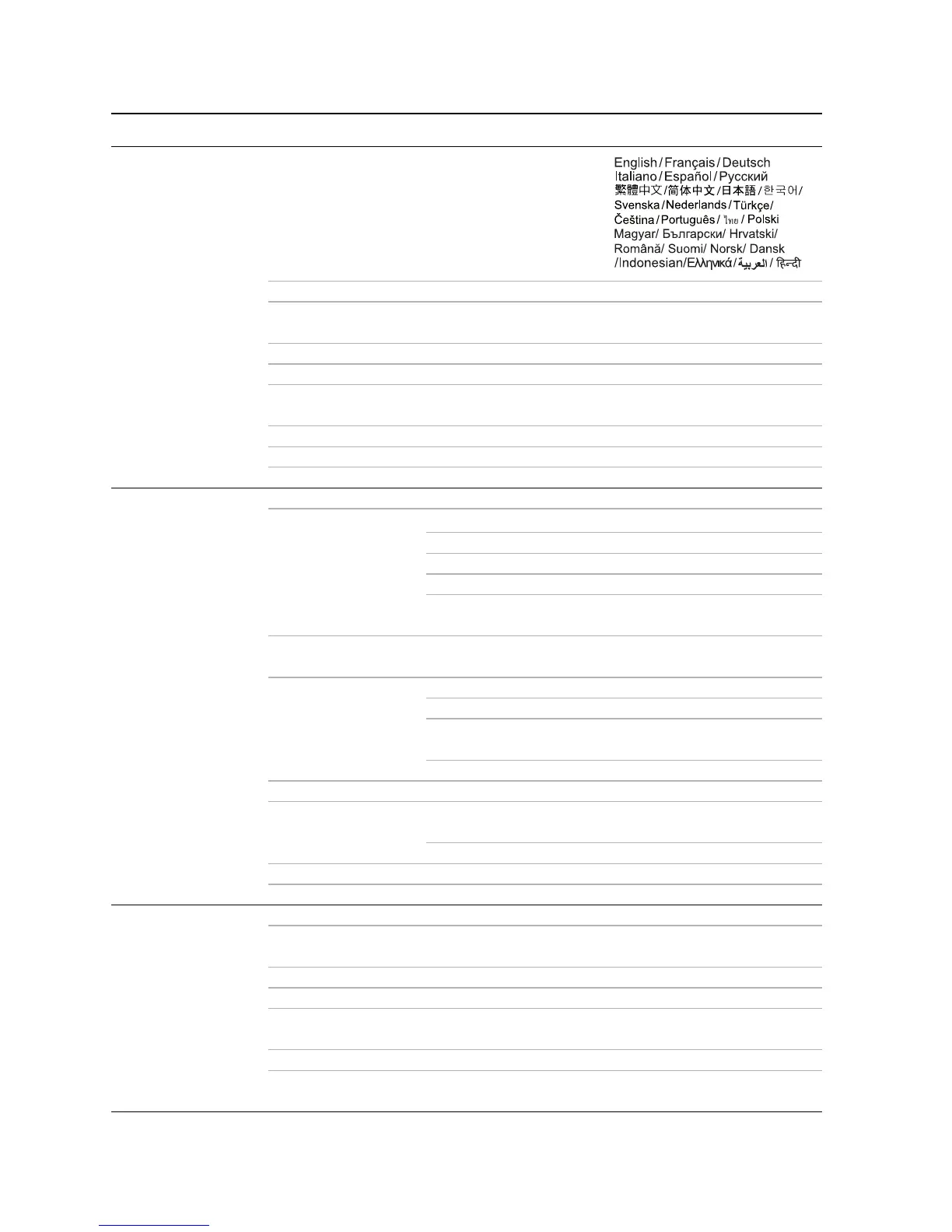
Menu system
Main menu Sub-menu Options
1.
Basic
Language
LED Mode Normal/Eco
Wall Color
Off/Light Yellow/Pink/Light
Green/Blue/Blackboard
Auto Keystone On/Off
Eye Protection On/Off
Auto Power Off
Disable/5 min/10 min/15 min/20
min/25 min/30 min
Quick Auto Search On/Off
Splash Screen BenQ/ Black/Blue
Test Pattern On/Off
2.
Advanced
High Altitude Mode On/Off
Audio Settings
SRS WOW HD
™
On/Off
Sound Mode Standard/Cinema/Music/Game
Mute Off/On
Volum e
Power on/off ring
tone
On/Off
Menu Display Time 5 sec/10 sec/15 sec/20 sec/25
sec/30 sec
Security Settings
Change Password
Recall Password
Change Security
Settings
Power On Lock On/Off
Projector Position Front Table/ Front Ceiling/ Rear Table/ Rear Ceiling
Closed Caption
Closed Caption
Enable
On/Off
Caption Version CC1/CC2/CC3/CC4
Firmware Upgrade Yes/No
Reset All Settings Reset/Cancel
3.
Network
Wi-Fi Mode AP Mode
Device Name
(SSID)
Security Disable/WPA/WPA2
Encryption Key Gray out/ xxxxxxxxx
Show Encryption
Key
Gray out/No/Yes
Wi-Fi Mode Client Mode
Wi-Fi Connection
XXX_AP/
No connection



 To Next Page