Operation
70
Connecting to a network using Client Mode
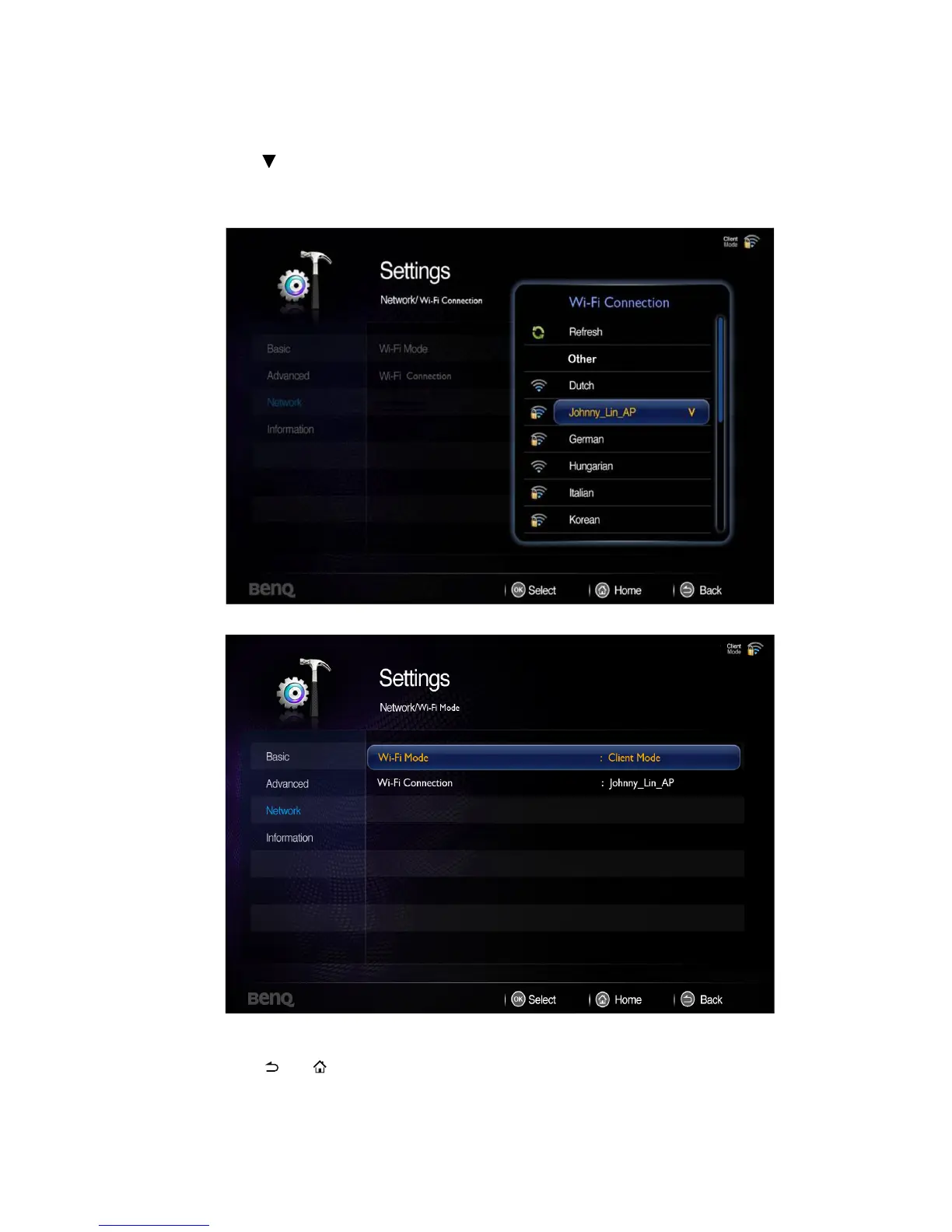
1. Go to Settings> Network> Wi-Fi Mode, press OK and a pop-up menu appears.
Select Client Mode and press OK.
2. Press to select Wi-Fi Connection and press OK. The screen will display the AP
name it is connected to. If no connection is found, a pop-up menu will appear.
3. From the pop-up menu, select the desired AP and press OK.
4. Follow OSD directions and set encryption code. (Only if Security is enabled)
5. Press or to leave Network and back to projector home screen.



 To Next Page