English
63
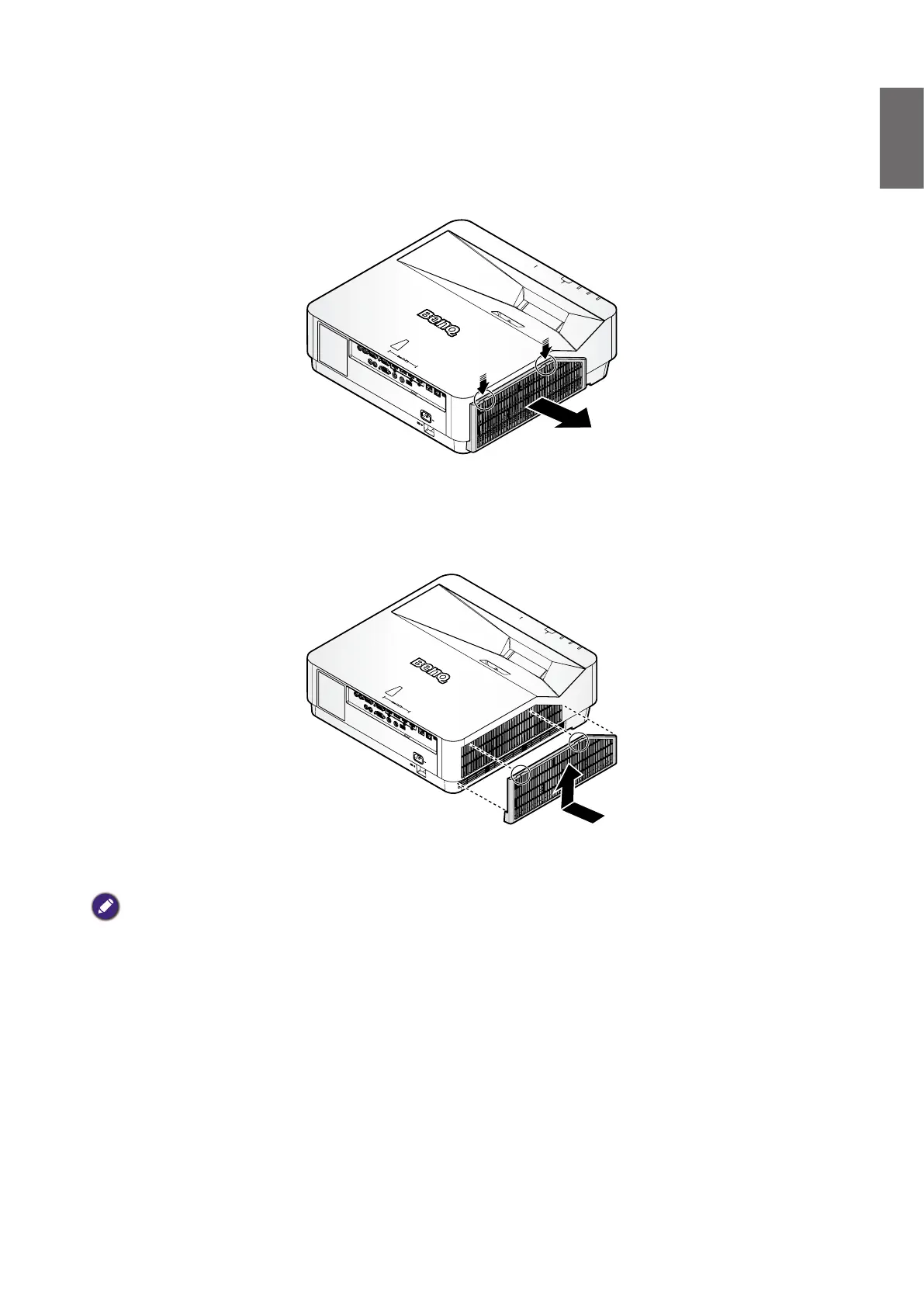
1. Turn off the projector and unplug the power cord from the outlet. Remove any dust on the
projector and around the air vents.
Loosen the two hooks that secure the lter module.
2. Remove the lter module from the projector.
3. Replace the lter module with the new lter.
4. Replace the lter module onto the projector by pushing gently in the direction shown,
make sure the two hooks that secure the lter module.
Note:
Do not wash the lter with the water or other liquid matter.
Replacing the lter



 To Next Page