EasyManua.ls Logo

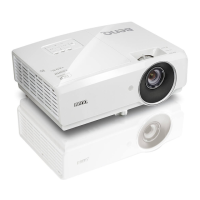
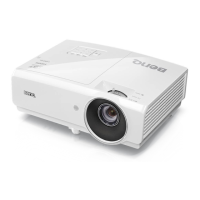
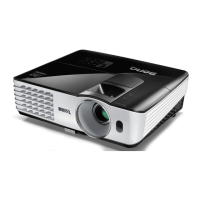
BenQ MH740 - User Manual

BenQ MH740
68 pages
Print Icon
To Next Page IconTo Next Page
Loading...
MH740
Digital Projector
User Manual

Other manuals for BenQ MH740

Questions and Answers

  • N
    Nathaniel KimJul 27, 2025
    What to do if BenQ Digital projector has no picture?
    • T
      Tyler HardingJul 27, 2025
      If your BenQ Digital projector isn't displaying a picture, make sure the video source is turned on and correctly connected. Check the connection between the projector and the input signal device. Also, verify that you've selected the correct input signal using the SOURCE key on the projector or remote control.
  • N
    Nicole MillerAug 3, 2025
    How to fix BenQ Digital projector remote control that does not work?
    • E
      Elizabeth HernandezAug 3, 2025
      If the remote control for your BenQ Digital projector isn't working, first replace the battery with a new one. If that doesn't solve the issue, make sure there are no obstacles between the remote control and the projector. Finally, ensure you're standing within 7 meters (23 feet) of the projector.
  • R
    Robin BrownAug 10, 2025
    Why BenQ Digital projector does not turn on?
    • E
      eric36Aug 10, 2025
      Your BenQ Digital projector might not turn on if there's no power from the power cable. Ensure the power cord is correctly plugged into both the AC inlet on the projector and the power outlet, and that the power outlet switch is on, if applicable. Also, the projector might be in the cooling process. Wait until the cooling down process has completed.
  • E
    Emily BensonAug 18, 2025
    What to do if BenQ Digital projector image is blurred?
    • C
      Carlos SalasAug 18, 2025
      If the image from your BenQ Digital projector appears blurred, try these steps: * Adjust the focus of the lens using the focus ring. * Adjust the projection angle, direction, and height of the unit to properly align the projector and the screen. * Ensure the lens cover is open.

Summary

Important Safety Instructions

Projector Controls and Functions

Remote Control Operation

Remote Control Functions Explained

Detailed description of each button and its corresponding function on the remote.

Projector Positioning and Installation

Choosing the Installation Location

Describes four main installation scenarios: table or ceiling mounting.

Connecting External Devices

Connecting Video and Audio Sources

Details on connecting video devices and managing audio output.

Starting Up the Projector

Adjusting the Projected Image

Adjusting Projection Angle

Using adjuster feet to set the projector's height and angle.

Fine-Tuning Image Size and Aspect Ratio

Correcting Keystone Distortion

Methods for correcting trapezoidal image distortion using the projector or remote.

Navigating the On-Screen Display (OSD) Menus

Picture and Source Menu Functions

Covers settings for picture modes, color, and input source selection.

Detailed Menu Function Descriptions

In-depth explanations of functions within the Display menu.

Picture and Source Menu Functions Explained

Detailed explanations for Picture Mode, Color, and Source menu items.

Projector Security Features

Using Security Cable Lock and Password

How to secure the projector physically and set up password protection.

Password Management and Recall

Procedures for changing passwords and retrieving lost passwords.

Input Signal and Color Management

Switching Input Signals

How to select and switch between different video input sources.

Image Optimization Techniques

Fine-Tuning Image Quality Settings

Detailed adjustments for brightness, contrast, color, tint, sharpness, and brilliant color.

Shutting Down the Projector

Navigating the Menu System

Projector Maintenance

Cleaning the Lens and Case

Instructions for safely cleaning the projector's lens and exterior casing.

Lamp Information and Life Extension

Lamp Hour Tracking and Life Extension

How to check lamp usage and use settings to extend lamp life.

When to Replace the Lamp

Indicators and messages signaling the need to replace the projector lamp.

Replacing the Projector Lamp

Resetting the Lamp Timer

Understanding Projector Indicators

Troubleshooting Common Issues

Troubleshooting Power and Picture Issues

Steps to resolve issues with the projector not turning on or displaying a picture.

BenQ MH740 Specifications

General IconGeneral
Brightness4000 ANSI Lumens
Display TechnologyDLP
Color Depth1.07 billion colors
Keystone CorrectionVertical: ±30 degrees
Audio10W Speaker
Light SourceLamp
Lens ShiftNo
Resolution1920x1080
Contrast Ratio10, 000:1
Lamp Life4000/10000 hours (Normal/Eco modes)
Throw Ratio1.39-2.09:1
Zoom Ratio1.5:1
Aspect Ratio16:9
Input TerminalsHDMI
Output TerminalsAudio Out
Noise Level28 dB (Eco mode)
Power Consumption<0.5W (Standby mode)
Operating Temperature0°C to 40°C

Related product manuals