69
9
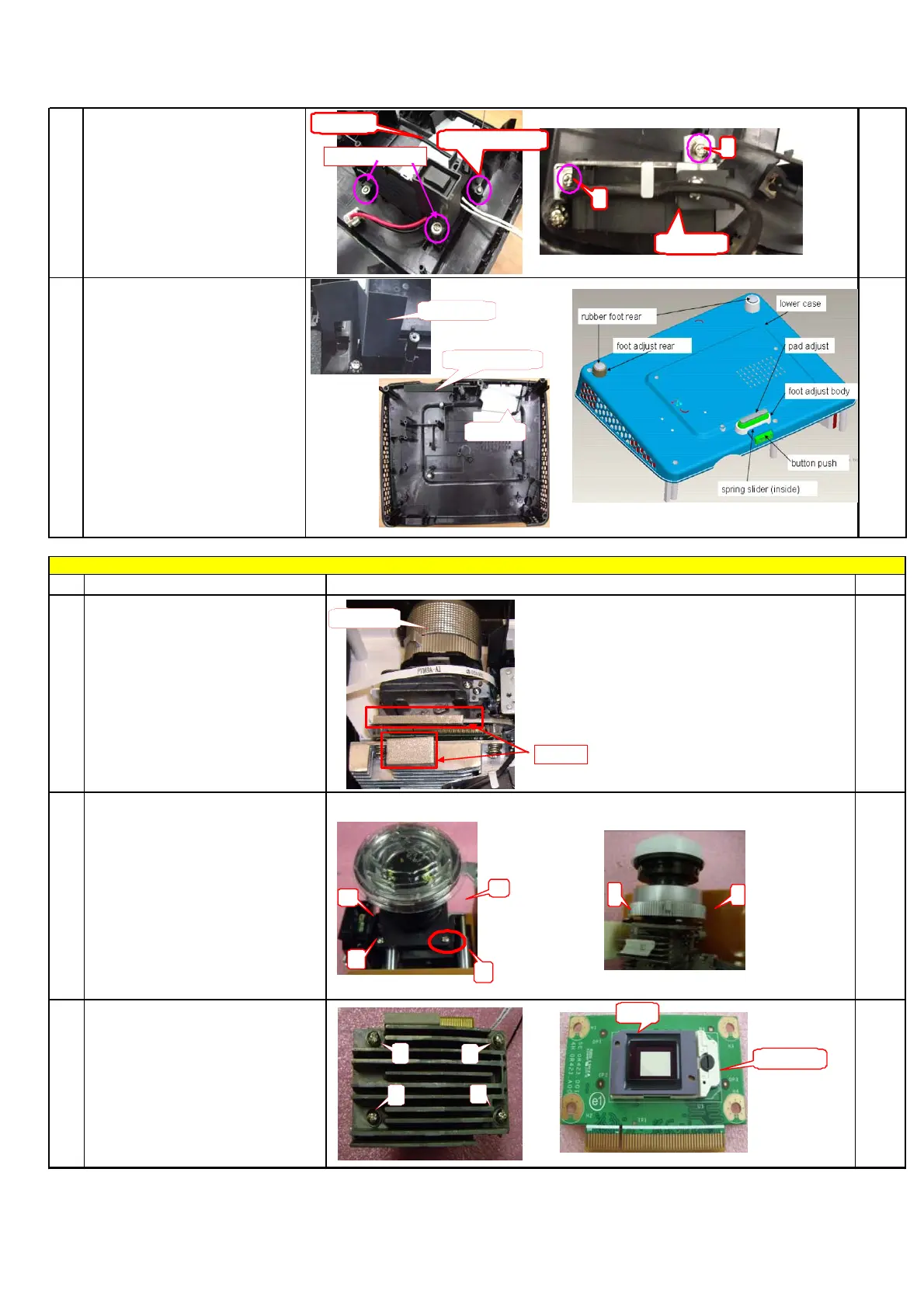
Disassemble the screw*3, and take
off the lamp box.
Disassembly the screw*2, and take
off the blower fan.
screw
driver
10
Take off the push button .
Take off the shielding .
Take off the mylar eng lc and
sponge LC lens .
Extract the rubber foot rear *2
、
foot adjust rear
、
pad adjust
、
foor adjust body
、
spring slider
and the push button in the lower
case .
screw
driver
8F.VA564.6R0 *1
8F.VG564.8R0 *2
lamp box
1
2
blower fan
mylar eng lc
Shielding
Sponge LC lens
Step Description
Tool
1
Take off the gasket*2.
Disassemble the Ring Zoom.
2
Take off the LENS screw*3 and and
Ring Focus screw*2
screw
driver
3
Disassemble the screw*4, and take
off the Hest-sink and DMD chip
with Chip BD.
screw
driver
MX613ST MS612ST Engine Dismantle SOP
1
2
4
3
ring Zoom
gasket*2
1
2
1
2
3
4
chip board
DMD



 To Next Page