Positioning your projector16
Positioning your projector
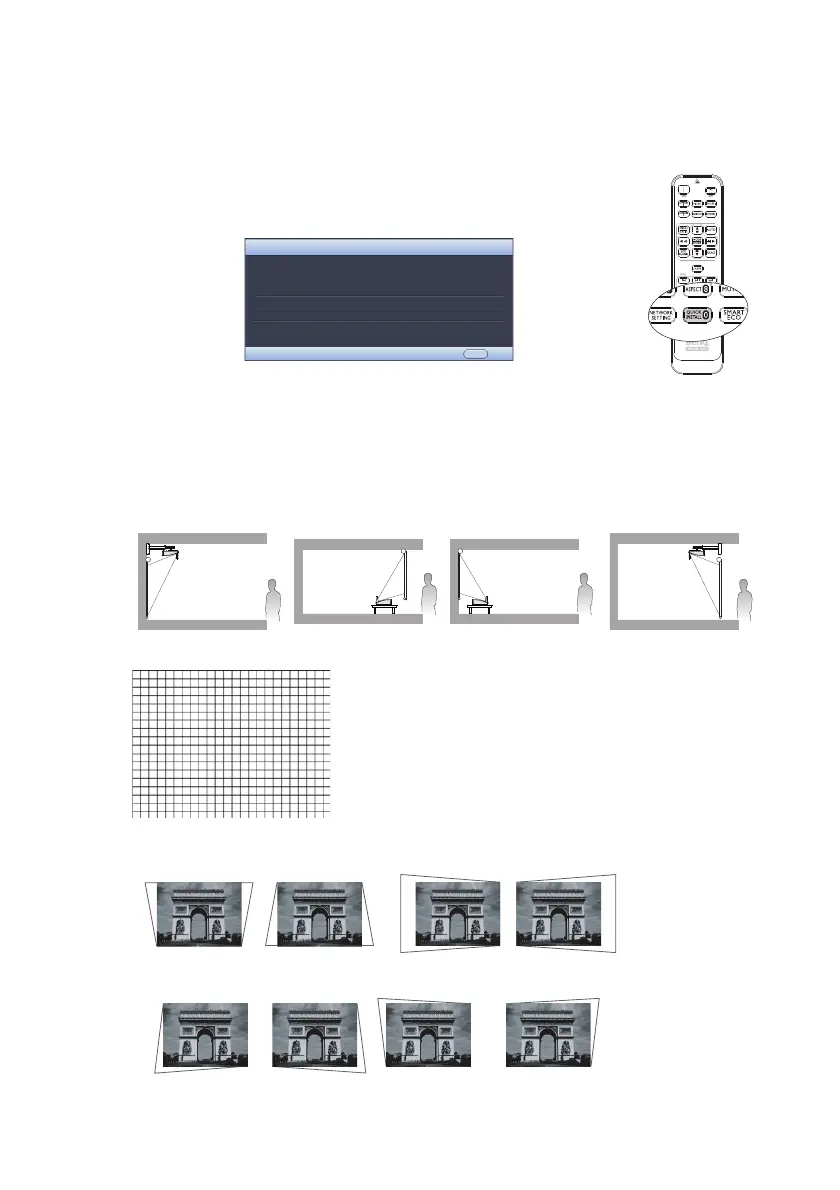
Using the quick install
The projector provides a hot key to set Projector Installation, Te s t
Pattern, and Keystone quickly.
Press Quick Install on the remote control and press ▲/▼ to select:
• Projector Installation: See
"Positioning your projector" on page 16
.
• Test Pattern: See
"Using the test pattern" on page 46
.
• Keystone: See
"Correcting 2D Keystone" on page 27
.
1. Choosing a location
Your projector is designed to be installed in one of four possible installation locations:
2. Use the test pattern
3. Correct the image
2D Keystone correction
Corner fit correction
Front Wall Rear Table Front Table Rear Wall
QUICK INSTALL
Projector Installation
MENU Exit
Te s t P a t t e r n
Keystone


 To Next Page