Setting up the display12
Installing the optional desktop stands
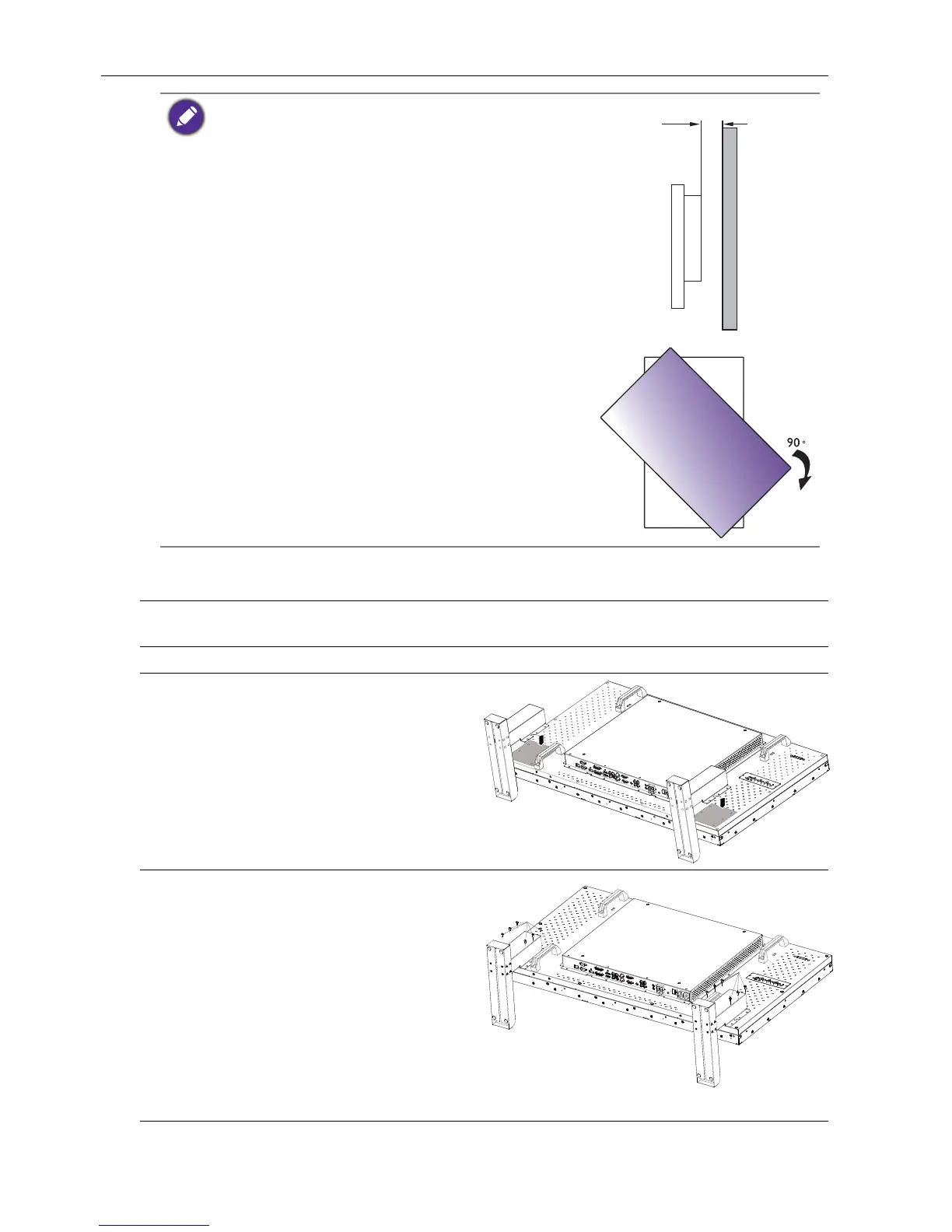
• To maintain proper ventilation, keep at least 10 mm of
clear space from the back cover of the display to the
wall.
• Please consult a professional technician for wall mount
installations. The manufacturer accepts no liability for
installations not performed by a professional technician.
• The AC IN/OUT socket should be on top of connectors
when rotating your display.
1. Place a clean, dry and lint-free cloth on a flat, horizontal and object-free surface. Make
sure that the size of the cloth is larger than the display.
2. Gently lay the display on the cloth with the LCD screen facing down.
3. Place the desktop stands on the
display as illustrated.
4. Use the screws and a suitable
screwdriver to secure the stands on
the display.
Screw Type: M4
Screw Length: 10 mm
Torque: 10



 To Next Page