Connection22
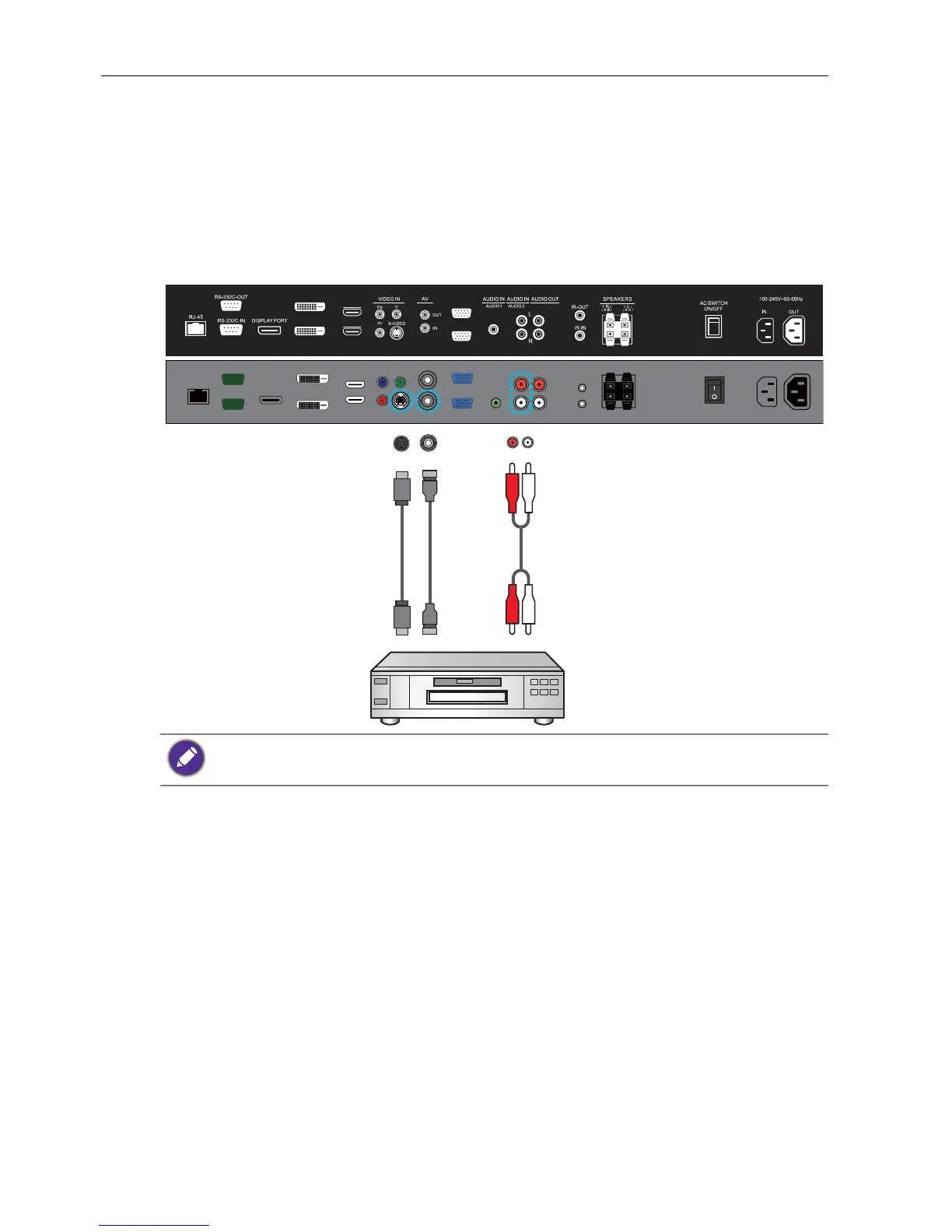
Connecting the AV and S-Video inputs
1. Connect the VIDEO IN (S-VIDEO) or AV IN jack on the display to the output jack
on an A/V device (such as a VCR) using an appropriate video cable.
2. Connect the VCR’s audio output jacks to the AUDIO IN jacks on the display using a
suitable audio cable.
3. To view video image from this input, press the AV button on the remote control for
the AV signal, or press the INPUT button repeatedly for the S-Video signal. To
select an appropriate audio source, see Audio Source on page 32 for details.
The cables are not supplied and should be purchased separately.
DVI-OUT
DVI-IN
HDMI-2
HDMI-1
VGA OUT
VGA IN
Audio cable
DVD player / VCR
AV cableS-Video cable



 To Next Page