Connection24
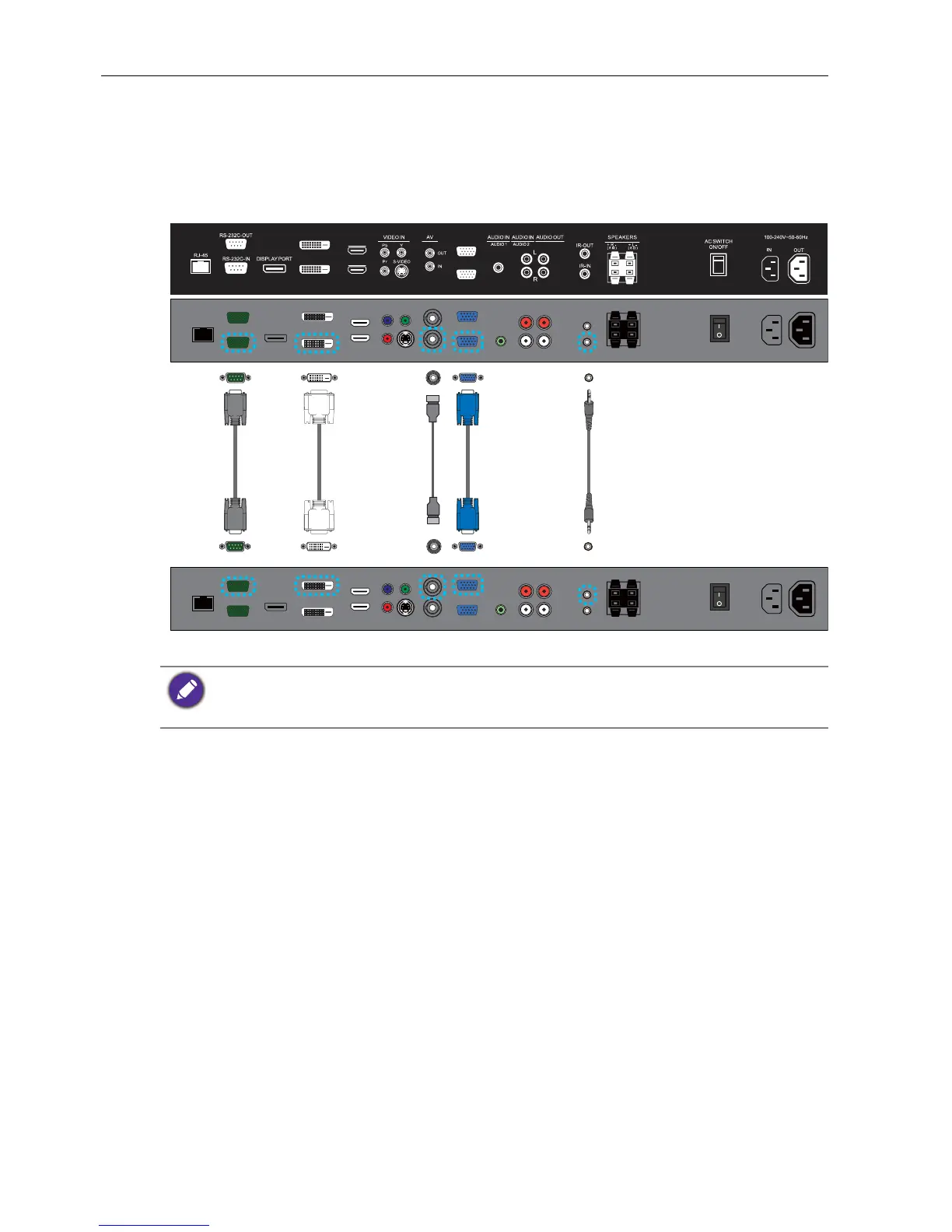
Connecting multiple displays
You can connect multiple displays serially (daisy chain) to a computer for management.
The number of displays you can connect serially depends on the resolution of the input
signal you use.
• This RS-232C daisy chain application requires an RS-232C port equipped computer.
• Use RS-232C serial null modem cables for daisy chain application.
• Avoid using HDCP source for daisy chain application
DVI-OUT
DVI-IN
HDMI-2
HDMI-1
VGA OUT
VGA IN
RS-232C
cable
IR cableDVI
cable
AV
cable
The first display
Additional display
D-Sub (15-
pin) cable



 To Next Page