Menu operations 43
• The display automatically enters energy saving mode when no one is detected within
the sensor’s range.
• The display automatically turns off when no one is detected within the sensor’s range
for a long period of time.
• Use the H Position, V Position, Clock rate, and Phase functions to manually
adjust the image.
More settings
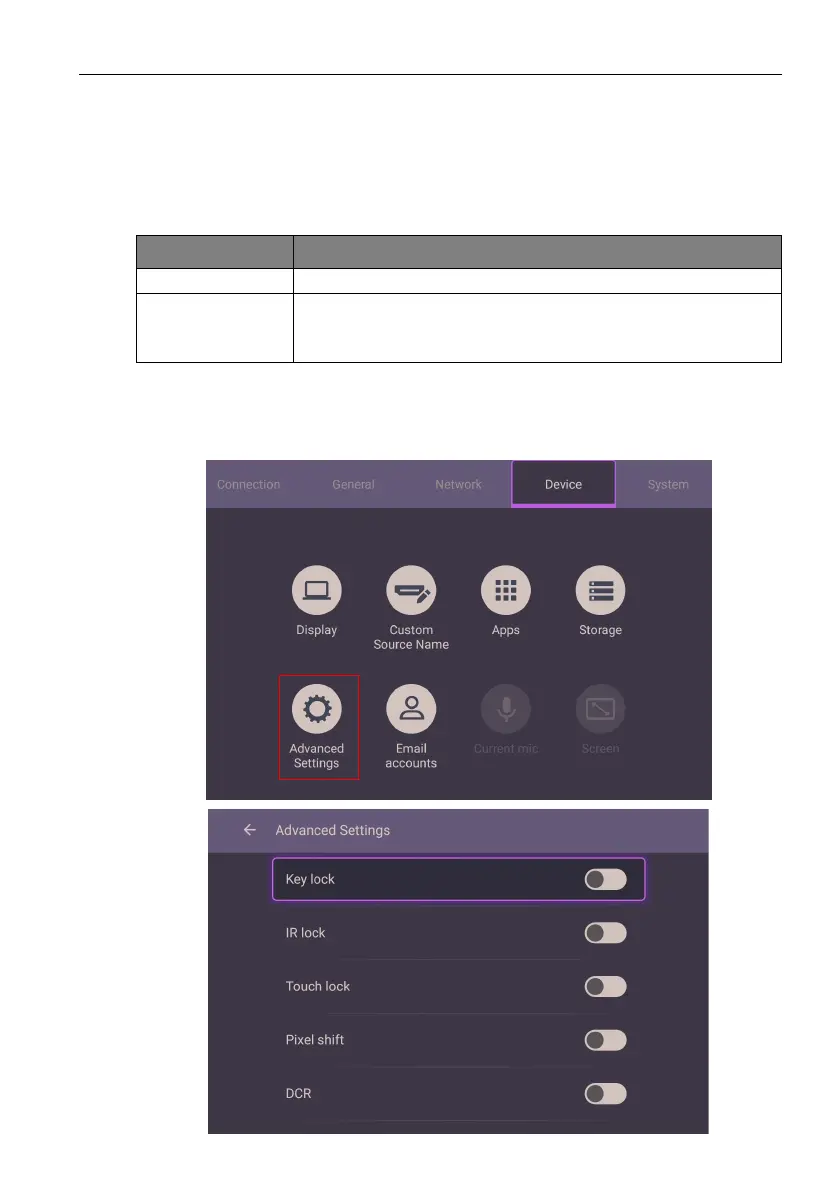
Advanced settings
Go to Device > Advanced settings.
Menu Description
H Position Press to move the screen to the left or right.
V Position Press OK on the remote control or click the switch to lock or
unlock the remote control IR sensor on the front panel of the
display.



 To Next Page