8
Installing an external PC
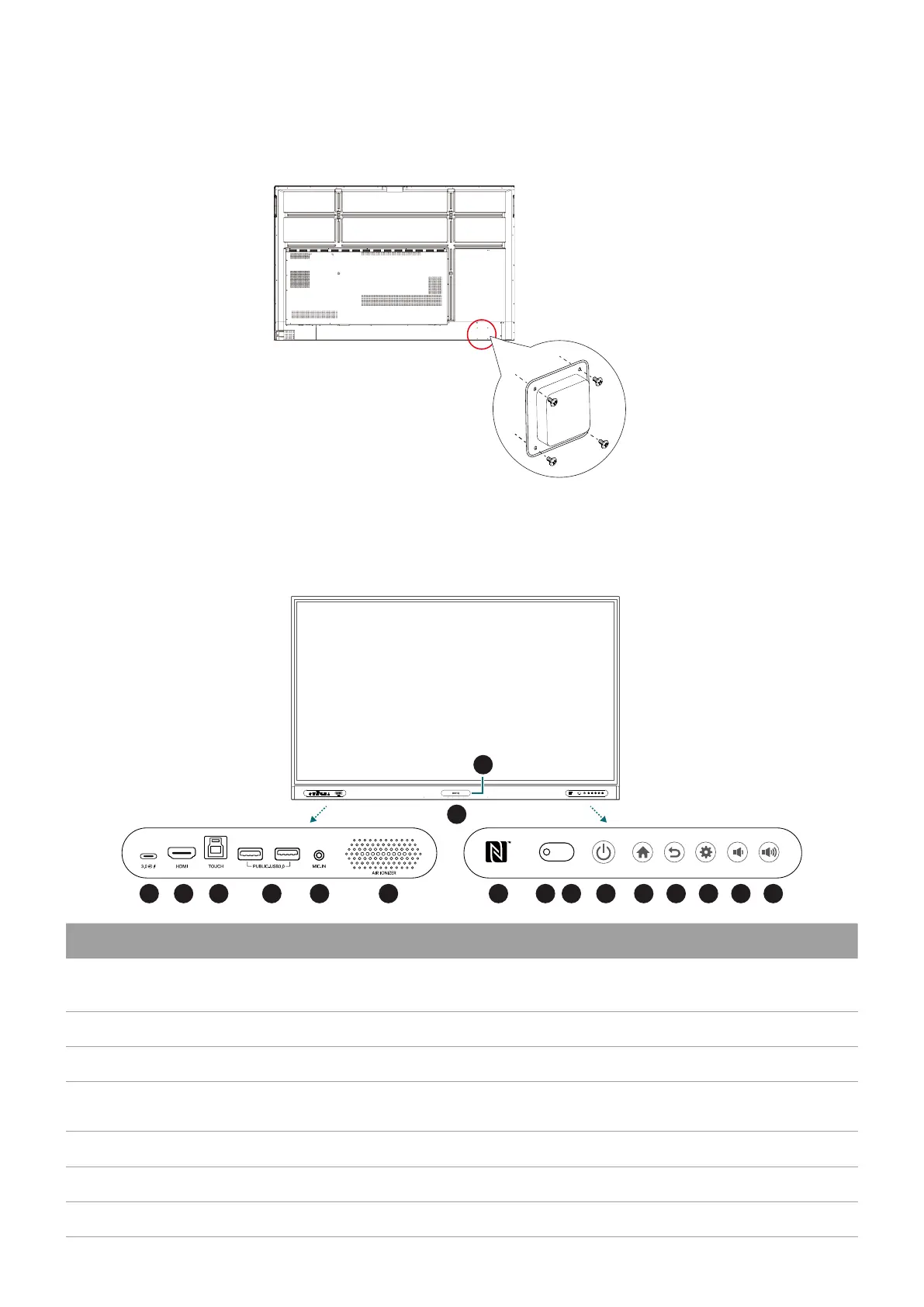
The back of the display has four screw holes at its bottom-right side with a dimension of VESA
mount 75x75 mm. You can secure the PC onto the display with four screws (maximum torque:
4-5 kgf-cm).
Parts of the display and their functions
Front panel
10 11 12 13 14 15 16 172 3 4 5 6
7
8
91
No. Name Description
1
Type-C
Connects to USB-C devices for power delivery and data transfer.
Supports the transmission of video, audio, and touch function.
2
HDMI Connects to video sources that support the HDMI interface.
3
TOUCH Supports touch signal input from an external computer.
4
USB 3.0
Connects USB devices such as keyboards, mouse, and USB
flash drives.
5
MIC-IN Receives sound from microphone via an audio cable.
6
Air ionizer Releases negative ions.
7
Array microphones Receives and transmits sound from near the display.



 To Next Page
 Loading...






