Product information 69
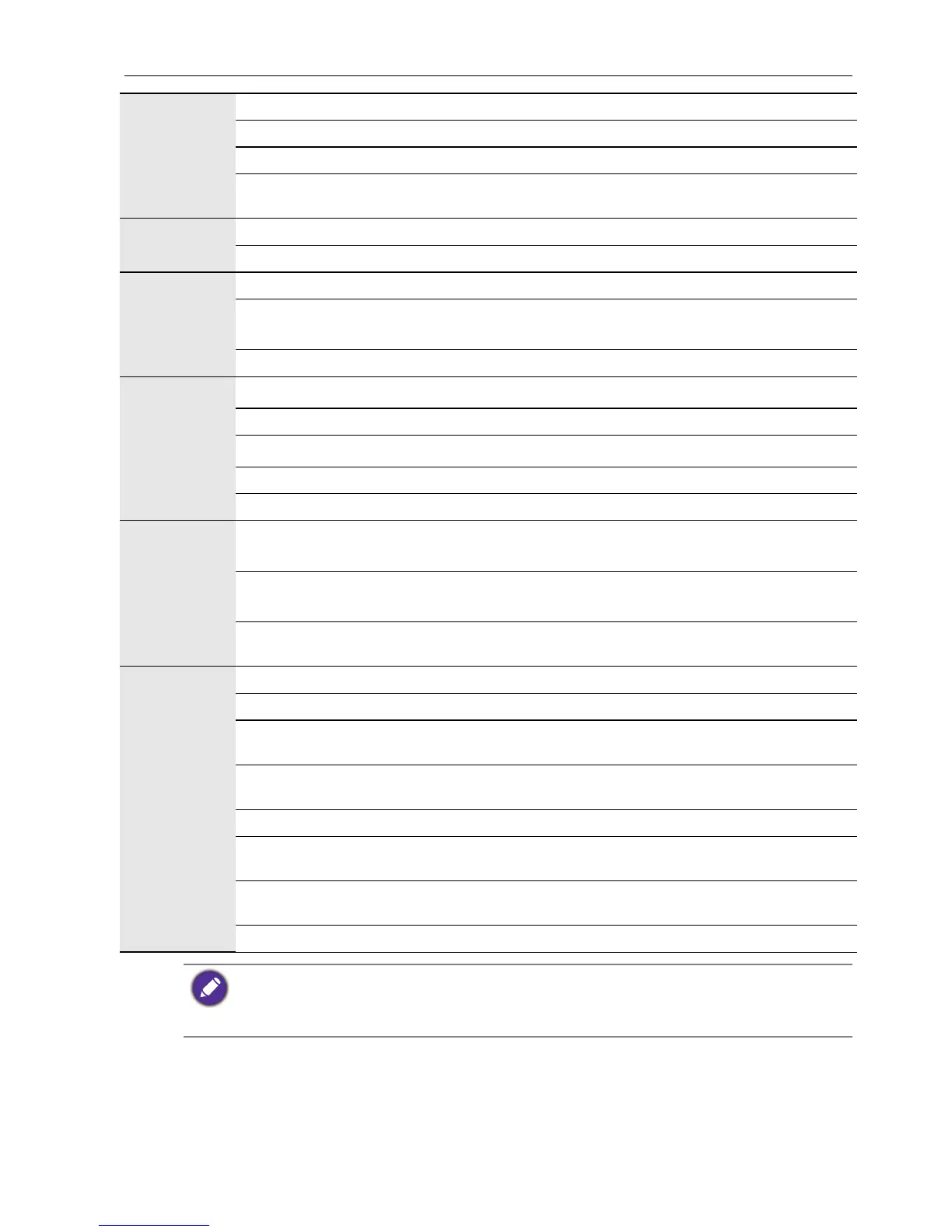
Output
Computer VGA (D-Sub 15-pin) x 1
Video NO
Audio Earphone (3.5 mm jack), COAX x 1
External speaker out
(L/R)
NO
Audio
Audio W (Amp) 10W x 2
Internal speaker YES
Power
Supply 100 - 240V AC, 50 - 60 Hz
Consumption Max.
RP653: 250W
RP703: 350W
Consumption Standby ≤ 0.5W
Environment
Operating Temperature
0 - 40
o
C
Operating Humidity 10 - 90% (without condensation)
Storage Temperature
-20 - 60
o
C
Storage Humidity 10 - 90% (without condensation)
Display Orientation Landscape
Mechanical
Weight (kg)
RP653: 46/57 (without packing / with packing)
RP703: 55/68 (without packing / with packing)
Dimensions (W x H x
D) (mm)
RP653: 1523*924*98 / 1697*1071*220
RP703: 1665*1015*98 / 1803*1160*243
Bezel Dimension - T/B/
L/R (mm)
35.2/60/35.2/35.2
Feature
Image setting YES
Source/Volume Control YES
Sharpness
enhancement
YES
Dimming control
(Adaptive Contrast)
No
10-bit color processing No
De-Interlacing / comb
Filter
YES
Customized Classroom
Mode
YES
Blank screen YES
• Specifications and functions are subject to change without notice.
• To make sure that the touch function works properly on Mac OS X 10.9, you are
recommended to perform screen calibration first. Contact BenQ dealer for the required
calibration utility.



 To Next Page