Operation 49
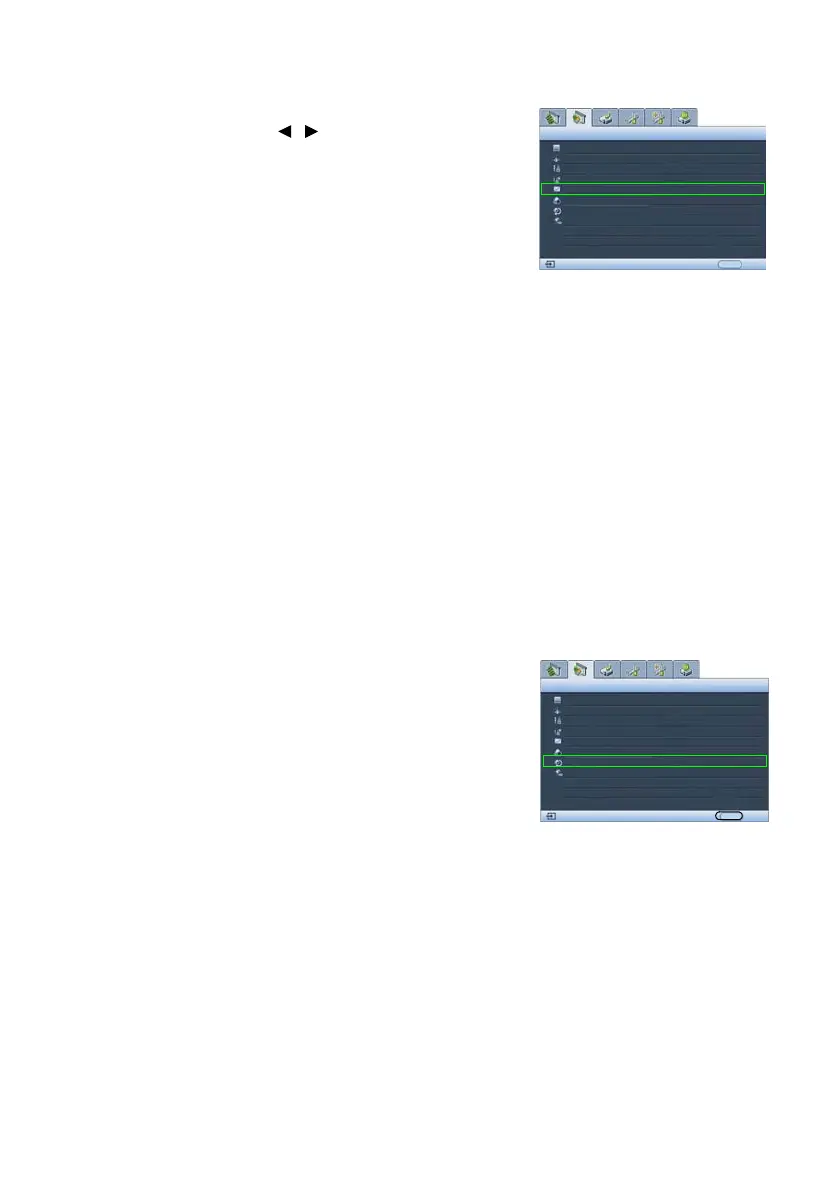
Selecting a Gamma setting
Highlight Gamma Selection and select a preferred
setting by pressing / on the projector or remote
control.
Gamma refers to the relationship between input source
and picture brightness. The lower the figure, the more
black detail is visible.
• Gamma 1, and 6
Increases the average brightness of the picture.
Best for a lit environment, meeting room or
family room
•Gamma 2
Simulates the PC display standard.
•Gamma 3
Best for leveraging blackboards (or chalkboards)
as projection screens.
• Gamma 4: Gamma Curve 2.2 sRGB standard
Best for viewing sRGB photos.
• Gamma 5, and 7
Best for viewing movies in a darkened
environment
•Gamma 8
Emphasizes black detail.
Best setting to view movies with a lot of dark
detail, shadows etc.
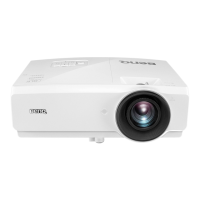
Color Space Transfer
In the unlikely event that you connect the projector to a
TV set-top box via the projector’s computer (data)
based input (like Analog RGB, DVI-A, or RJ-45) and
the projected picture displays wrong colors, please
change the color space to YUV.
Black Level
Clarity Control
Color Temperature
Picture -- Advanced
Analog RGB
0 IRE
EXIT Back
Normal
Color Temp User_ Fine Tuning
Gamma Selection
Color Management
Color Space Transfer
Signal Shuttle
YUV
Gamma 2
Black Level
Clarity Control
Color Temperature
Picture -- Advanced
Analog RGB
0 IRE
EXIT Back
Normal
Color Temp User_ Fine Tuning
Gamma Selection
Color Management
Color Space Transfer
Signal Shuttle
Default
Gamma 2


 To Next Page