44
Operation
English
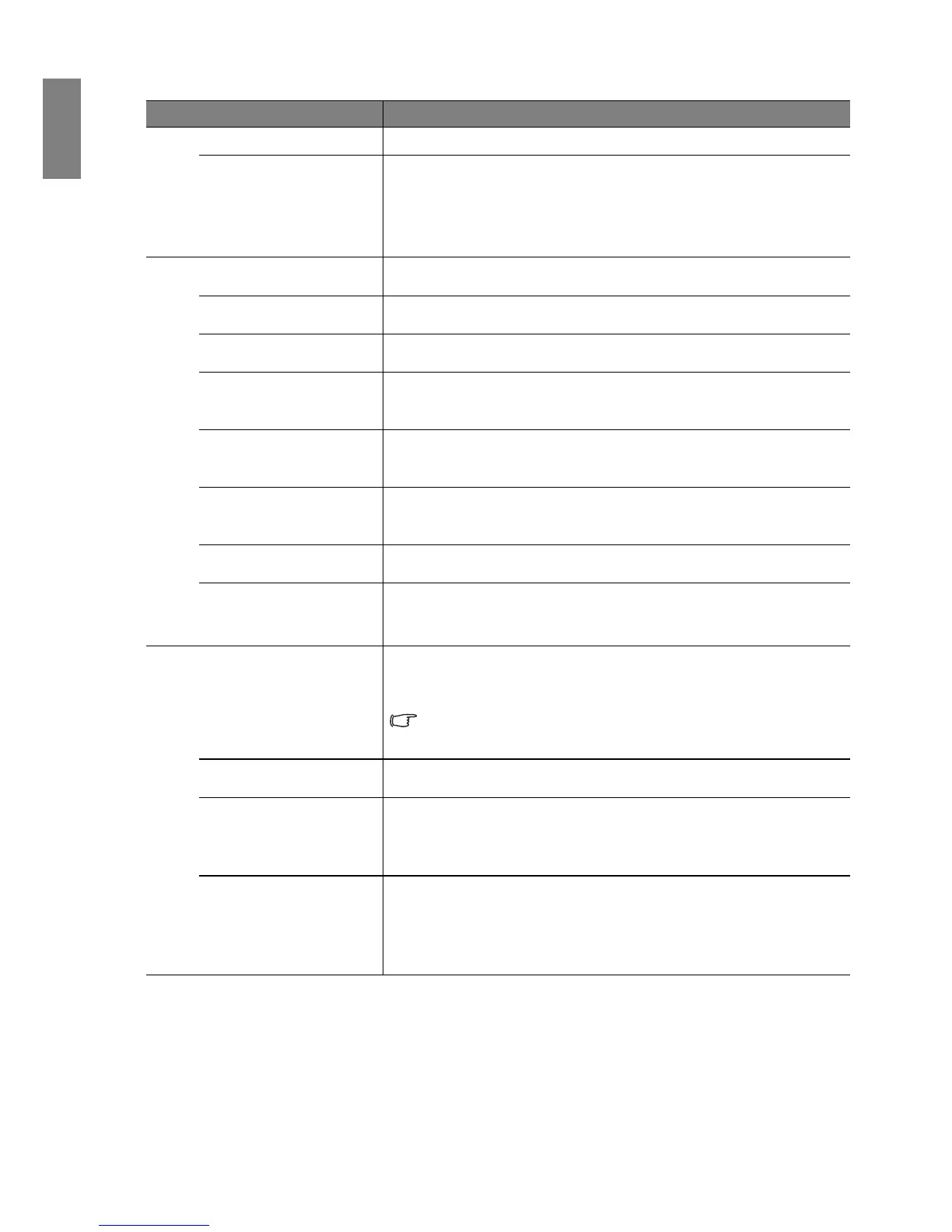
FUNCTION DESCRIPTION
Quick Auto Search
See "Switching input signal" on page 27 for details.
Color Space
Conversion
See "Changing Color Space" on page 27 for details.
Presentation Timer
Reminds the presenter to finish the presentation within a certain time
frame. See "Setting the presentation timer" on page 34 for details.
Language
Sets the language for the On-Screen Display (OSD) menus. See "Using the
On-Screen Display (OSD) menus" on page 24 for details.
Projector Position
The projector can be installed on a ceiling or behind a screen, or with one
or more mirrors. See "Choosing a location" on page 12 for details.
Auto Power Off
Allows the projector to turn off automatically if no input signal is detected
after a set period of time. See "Setting Auto Power Off " on page 47 for
details.
Blank Timer
Sets the image blank time when the Blank feature is activated, once
elapsed the image will return to the screen. See "Hiding the image" on
page 36 for details.
Panel Key Lock
Disables or enables all panel key functions except Power on the projector
and keys on the remote control. See "Locking control keys" on page 37 for
details.
Sleep Timer
Sets the auto-shutdown timer. The timer can be set to a value between 30
minutes and 12 hours.
Splash Screen
Allows you to select which logo screen will display during projector start-
up. The following options are available: BenQ logo, Black screen, Blue
screen.
Quick Cooling
Enables or disables the Quick Cooling function. Selecting On enables the
function and projector cooling time will be shortened from a normal 90-
second duration to approximately 30 seconds.
If you attempt to restart the projector right after the 30-second
quick cooling process, it will rerun its cooling fans for
approximately 60 seconds before energizing the lamp.
High Altitude Mode
A mode for operation in high altitude areas. See "Operating in a high
altitude environment" on page 37 for details.
Audio Settings
Mute
Volume
Power on/off ring tone
See "Adjusting the sound" on page 38 for details.
Menu Settings
Menu Display Time
Sets the length of time the OSD will remain active after your last key press.
The range is from 5 to 30 seconds in 5-second increments.
Menu Position
Sets the On-Screen Display (OSD) menu position.



 To Next Page