Parts of the display and their functions 13
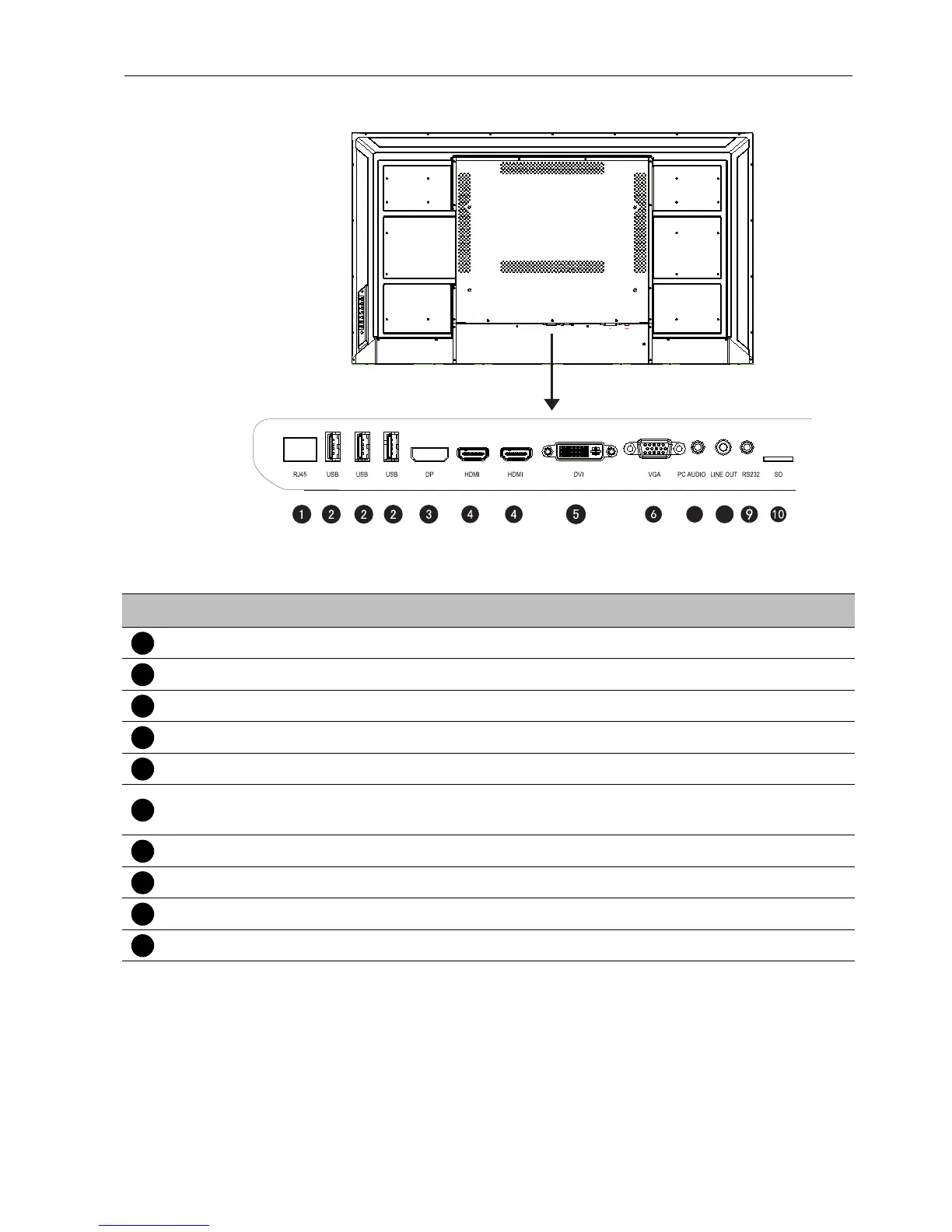
Input/output terminals
Input/output terminals
7
8
No. Name Description
RJ45 Connect to a network using the Ethernet cable.
USB Access multimedia files on USB drives directly.
DP Connect a video source to a display device.
HDMI Receive 4K2K 60Hz supported signals from an external device.
DVI Connect a video source.
VGA
Receive analog RGB signals from an external device (such as a
computer).
PC AUDIO Receive audio signals from an external device.
LINE OUT Output audio signals to an external device.
RS232 Serial interface, used for mutual transfer of data between devices.
SD Connect with a high-capacity memory card.



 To Next Page