Basic operations26
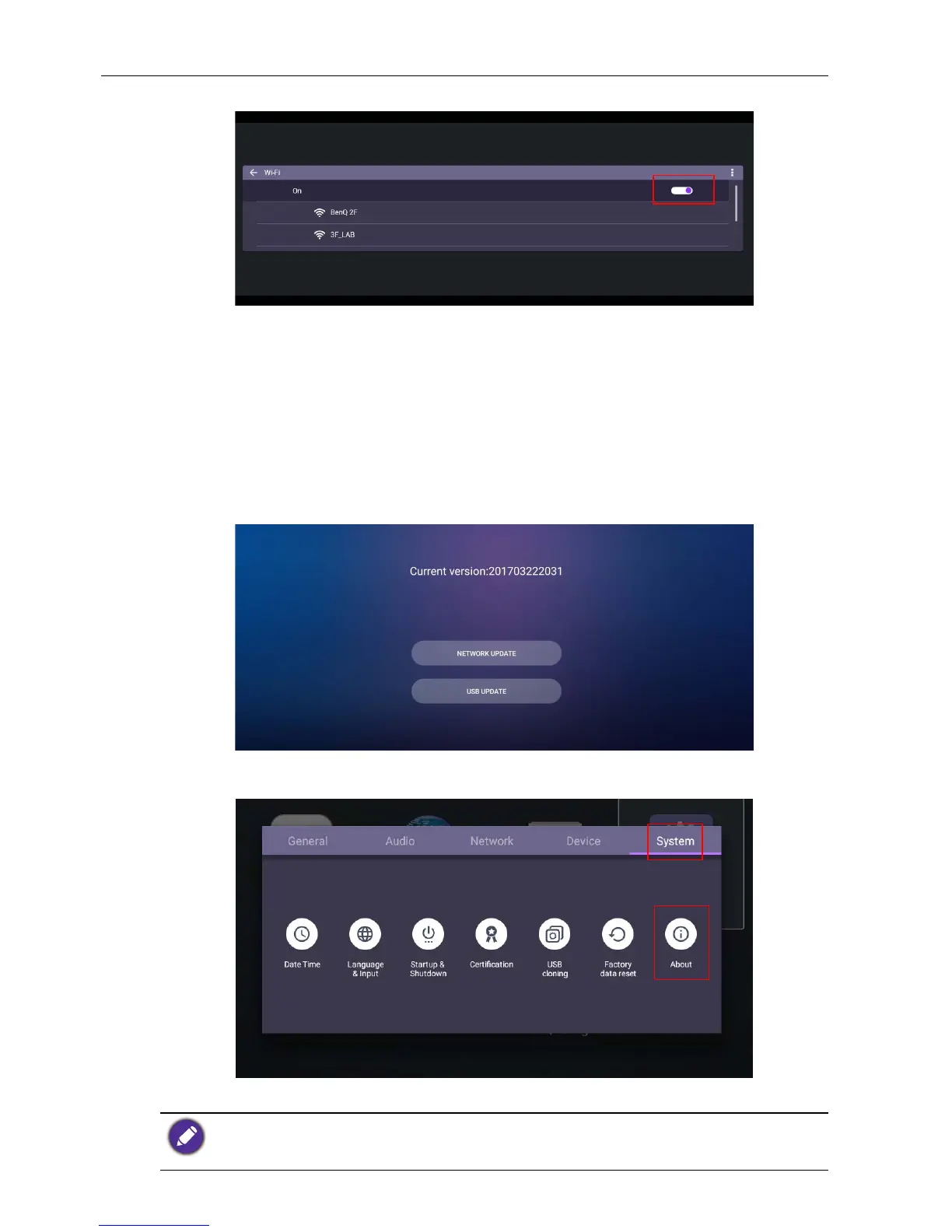
2. Set the switcher to On. A list of available networks will show on the screen.
3. Press /// on the remote control to select the network’s name and connect
to the network. The password is needed if it is your first time to use the network.
Key in the password and press Connect. The device is now connected to the
WLAN.
Updating software
Whenever a new version of software is available, the system will automatically detect the
update and will prompt you to download it every time you turn on the display. If you
want to update the software, choose NETWORK UPDATE or USB UPDATE to
continue the update. Or your can skip this step and update the software later.
To manually update the software:
1. Go to System > About > System updates.
2. If there is an update available, the system will begin updating.
• Software update process may take some time to complete.
• During the update process, do not turn off the device or disconnect the Internet connection.
Any interruptions during the software update process may permanently damage your display.



 To Next Page